The Best Resin 3D Printer for High-Detail Miniatures
Introduction
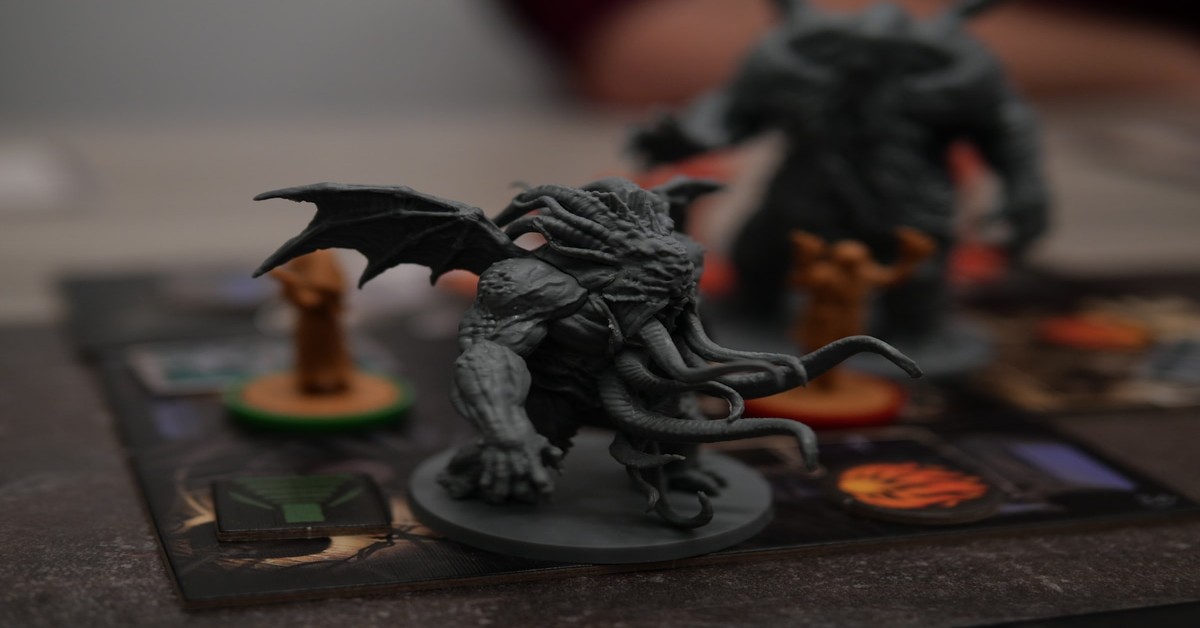
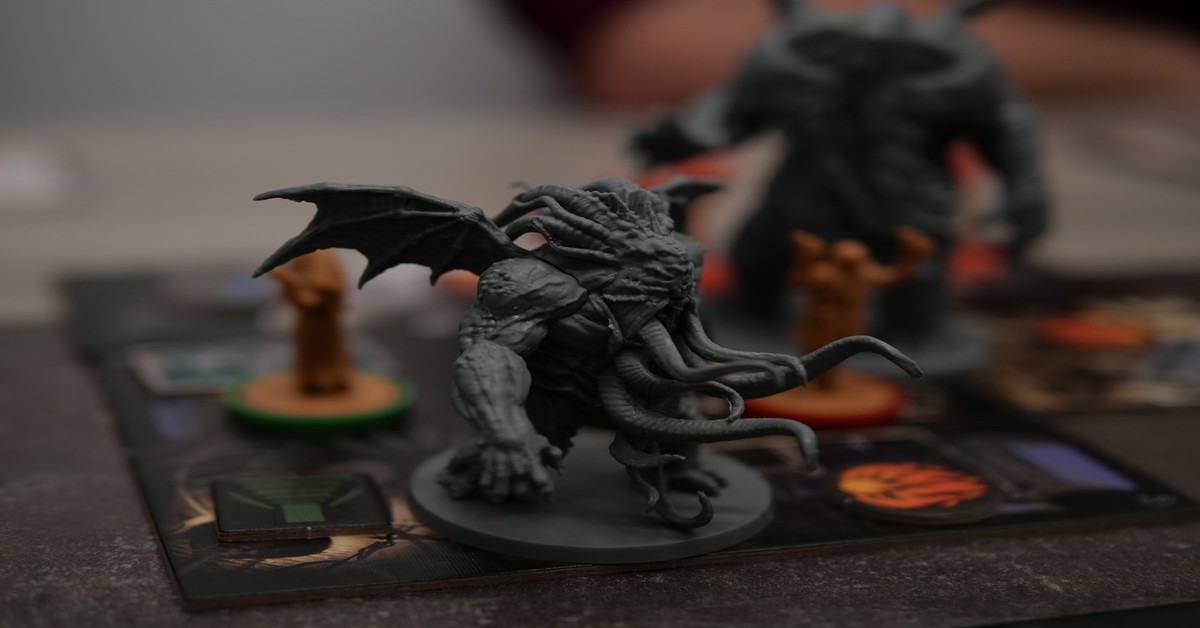
If you’re into tabletop gaming or painting miniatures, you’ve probably dealt with FDM printers and their limitations. Layer lines, stringing, and lost detail on a 28mm face are just part of the deal. Resin printing changes that equation entirely. The jump in quality is not subtle—it’s the difference between a miniature that looks printed and one that looks cast.
I spent way too long figuring this out the hard way. Here’s what I wish I’d known from the start.. For more on this, see our guide on The History of 3D Printing: From Patents to Personal Desktops.
But finding the Best Resin 3D Printer for high-detail miniatures isn’t about grabbing the cheapest box or the one with the biggest screen. It’s about understanding what matters for miniatures: resolution that captures armor trim, reliably repeatable Z-axis accuracy for multi-part prints, and a build plate that doesn’t fight you on leveling. This article is a data-driven comparison of the top contenders. We’ll cut through the marketing, talk about real-world print quality, and show you where your money actually pays off in detail.
We evaluated each machine based on criteria that matter to miniature painters and wargamers: fine-detail capture, batch printing capability, ease of use out of the box, and community support for resin profiles. Whether you’re printing a single hero model or an entire squad, this guide will help you make an informed choice.
Why Choose a Resin 3D Printer for Miniatures?
FDM printers build models by laying down melted plastic filament in layers. That’s fine for terrain, battle mats, and large props. But when you need sharp edges on a sword or the iris of a 32mm eye, those layers become visible and detrimental. Resin 3D Printers use a liquid photopolymer that cures with UV light. They cure in far thinner layers—typically 25 to 50 microns—which results in almost invisible layer lines.
The difference is stark. A miniature printed on an FDM printer will have visible stepping on curved surfaces, while the same model from a resin printer will have smooth cape folds and crisp armor edges. Resin Printers use an LCD screen or laser to cure each layer with high precision, not just in XY resolution but also in Z-axis accuracy.
There are tradeoffs, of course. Resin printing requires post-processing: washing in isopropyl alcohol, removing supports, and curing under UV light. The fumes from uncured resin are also stronger than PLA Filament, so ventilation or an enclosure is needed. For those setting up a workspace, a dedicated ventilation setup can help manage odors safely. But for the tabletop gamer who wants their Warhammer proxies, D&D heroes, or 75mm display pieces to look professional, resin printing is the only realistic path. It’s a higher investment in terms of equipment, workspace, and safety gear, but the result is miniature detail that rivals injection-molded plastic.
What We Looked For: Our Testing Criteria
To compile this list, we didn’t just read spec sheets or trust manufacturer claims. We tested each printer with a standard set of validation prints designed to expose fine detail, overhangs, and exposure consistency. Here’s what we prioritized:
- Maximum Resolution: We focused on machines capable of at least 50-micron XY detail, with a strong preference for 35-micron or better. For small minis, that extra resolution defines an eye socket from a smudge.
- Build Volume for Miniature Batches: A printer that can fit only one 32mm model is inefficient for army printing. We measured effective plate area for batch printing—how many standard minis you can fit in one run.
- Print Reliability: Consistent layer adhesion, minimal print failures due to Z-axis wobble or resin separation, and a reliable leveling mechanism are non-negotiable. A printer that fails half the time is a time sink, not a tool.
- Ease of Leveling and Setup: Out-of-box experience matters, especially for new resin users. We assessed leveling systems, vat installation, and software setup time.
- Software Compatibility: Does the printer work well with common slicing software like Lychee Slicer or Chitubox? Are the pre-configured resin profiles accurate, or do you need to tweak them?
- Community Support: A strong community means pre-made profiles, troubleshooting guides, and mods. This reduces frustration and speeds up learning.
Each printer was scored across these categories to produce a balanced recommendation, not just a list of expensive features.
From what I’ve seen comparing these side by side, the differences aren’t always where you’d expect.
1. Elegoo Mars 4 Ultra – Best for Beginners and Budget Builders
The Elegoo Mars 4 Ultra makes resin printing accessible without sacrificing detail. It features a 9K monochrome LCD screen with a 6.6-inch build area. That resolution translates to crisp prints on small models—think 28mm to 32mm scale figures where every detail counts. The Mars 4 Ultra’s build volume is 153.6 x 77.76 x 165 mm, which is tight for batch printing an entire unit, but perfect for one or two heroes per run.
What sets this printer apart for beginners is its setup process. The Mars 4 Ultra comes with a self-leveling build plate. You screw it tight, zero it, and print. No fiddling with paper and screws on every run. That alone saves hours of frustration. Print speed is also impressive—a typical 32mm miniature takes around two hours at 50-micron layers. The monochrome screen also lasts longer than older color screens, reducing the need for early replacement.
Print quality out of the box is excellent. Facial features on a 28mm mini are distinct, and weapons and armor edges are sharp without needing to calibrate exposure for days. One common issue is the smaller build plate. If you plan to print an entire 1,500-point Warhammer army in a week, you’ll need to run it multiple times. But for the hobbyist painting a squad or a weekly D&D party, the Mars 4 Ultra is more than enough.
Tradeoffs to consider: The build plate is noticeably smaller than the Anycubic or Phrozen options. If you want to batch print 10 minis per run, this isn’t the choice. The stock resin profiles are decent, but tweaking exposure for third-party resins is required for flawless detail. Overall, this is the best entry-level resin printer for detail without the premium price tag.
Check the Elegoo Mars 4 Ultra price on Amazon
2. Anycubic Photon Mono M5s – Best for Large-Scale Miniature Production
The Anycubic Photon Mono M5s is a step up in size and resolution. With a 12K monochrome screen (19.2 x 161.64 x 73.56 mm resolution) and a larger build volume of 220 x 120 x 220 mm, this printer is built for users who need batch printing. You can fit five or six 32mm infantry models plus a cavalry model in one run without crowding the plate. For army painters, that’s a massive productivity gain.
The M5s features intelligent automatic leveling. It uses a sensor to detect the plate’s position and adjusts accordingly. This is a huge time saver if you swap plates frequently or run multiple prints back to back. Print speed is competitive—around three hours for a full plate of small minis at 50 microns.
Print quality is very close to the Phrozen Sonic Mighty 8K in terms of detail. Fine panel lines on a Space Marine shoulder pad, rivets on tank armor, and intricate faces all come through cleanly. The larger screen also reduces the risk of warping on long runs because the resin pool is wider and temperature tends to stabilize better. However, this printer produces more fumes due to the larger volume of resin, so adequate ventilation is a must.
How it compares to the Mars 4 Ultra: The M5s is more expensive, but the extra build plate capacity is worth it if you print multiple minis per session. The leveling system is more automated, but the Mars 4 Ultra is simpler for a first-time buyer. For the user who already knows resin basics and wants to produce miniatures in volume, the M5s is the better investment.. For more on this, see our guide on Best High-Speed 3D Printers: Pushing the Limits of Klipper.
Check the Anycubic Photon Mono M5s price on Amazon
3. Phrozen Sonic Mighty 8K – Best for Ultra-High Detail and Large Formats
If your focus is on hero models, large display pieces, or 75mm scale figures, the Phrozen Sonic Mighty 8K deserves serious consideration. Its key feature is an 8K LCD screen on a 9.3-inch build area. That’s a 7.9-inch (200 mm) by 8.6-inch (218 mm) XY build volume with 200 x 218 x 245 mm overall dimensions. The massive build area lets you print large-scale busts or multiple 75mm figures, something the Mars 4 Ultra and even the M5s struggle with.
Resolution is exceptional. With 8K across that large screen, the pixel pitch is tight enough to eliminate visible stepping on curved surfaces. On a 75mm figure, the armor rivets are separate, distinct dots. The cape folds flow smoothly. The level of detail rivals commercial cast minis. That said, the Sonic Mighty 8K is heavier, larger, and more expensive. It’s not a printer you move around the house. It also needs a dedicated workspace with strong ventilation because the larger resin volume off-gasses more.
Setup involves a more manual leveling process compared to the M5s. The plate uses four screws and a guide, but it’s precise once you get it right. The active community around Phrozen printers means there are many resin profiles already tested for popular resins like Siraya Tech Fast and Elegoo Standard. This reduces your calibration time.
Who should buy it: This is for the maker who wants museum-quality prints and is willing to invest in the space and workflow. If you print for commissions, display pieces, or personal projects where detail is the only priority, the Sonic Mighty 8K is unmatched. However, for rank-and-file infantry or quick proxies, it’s overkill.
Check the Phrozen Sonic Mighty 8K price on Amazon
Comparison Table: Specs at a Glance
| Printer | Resolution | Build Volume (mm) | Screen Size | Price Point | Speed (50 microns) | Leveling Type |
|---|---|---|---|---|---|---|
| Elegoo Mars 4 Ultra | 9K | 153.6 x 77.76 x 165 | 6.6″ | Budget | ~2 hrs per mini | Self-leveling |
| Anycubic Photon Mono M5s | 12K | 220 x 120 x 220 | 7.6″ | Mid-range | ~3 hrs full plate | Auto-leveling |
| Phrozen Sonic Mighty 8K | 8K | 200 x 218 x 245 | 9.3″ | Premium | ~4 hrs full plate | Manual precision |
How to Choose the Right Printer for Your Miniature Needs
Your final decision should map the specs to your actual printing habits. Here’s a breakdown by use case:
- Print volume (batch vs. single): If you fill your printer once and want 10 minis per run, go with the Photon Mono M5s or the Phrozen Sonic Mighty 8K. If you paint one to two minis per session, the Mars 4 Ultra is sufficient.
- Resolution requirements: For hero models or 75mm figures, the 8K resolution of the Phrozen matters. For rank-and-file infantry, the 9K Mars 4 Ultra is already overkill—you won’t see the difference on a tabletop.
- Budget: The Mars 4 Ultra is significantly cheaper. If you need to stretch your hobby budget for resin, gloves, and curing station, that savings matters more than a larger build plate.
- Needed features: Auto-leveling saves time if you print daily. Wi-Fi is not critical on any of these machines, but the M5s supports it if you want to start prints remotely. The Phrozen Sonic Mighty 8K lacks Wi-Fi, which some users find limiting.
Consider your workspace and tolerance for post-processing. All resin printers require washing and curing, but larger build volumes mean bigger parts to wash and cure, which takes more time. If you value speed and convenience over detail, the Mars 4 Ultra is your best bet. If detail and batch size are priorities, step up to the M5s or the Phrozen.
Essential Accessories You’ll Need (and a Few to Skip)
Resin printing is not just the printer. Here are accessories that genuinely make a difference:
- Wash and Cure Station: A dedicated unit like the Anycubic Wash & Cure Plus or the Elegoo Mercury X simplifies cleaning. You won’t mess with jars of alcohol and sunlight curing. It’s one of the best upgrades for consistency. Check the Anycubic Wash & Cure Plus on Amazon
- Quality Resin: Siraya Tech Fast is excellent for miniatures—it prints clean, has low odor, and captures fine detail. Check Siraya Tech Fast on Amazon
- Safety Gear: Always use nitrile gloves and a 3M respirator with organic vapor cartridges. Uncured resin is an irritant. Check nitrile gloves for resin printing on Amazon
- Skip: Cheap curing stations. They often don’t rotate properly or have UV lights that degrade quickly. Also skip resins that advertise “5-second cure” – they often over-cure and become brittle quickly.
Common Mistakes When Starting with Resin Printing
Based on experience, here are mistakes to avoid:
- Not accounting for resin shrinkage: Resin contracts slightly as it cures. This means your printer’s Z-axis compensation profiles in the slicer matter. Ignore them and your minis might come out slightly shorter or wider than intended. Calibrate using an exposure test print first.
- Over-curing prints: After washing, many newbies leave models in the curing station for the full 10-minute cycle. For small minis, that often melts detail and makes them brittle. Two to three minutes is usually enough. Test on a spare model.
- Poor support placement: In auto-support software, using default settings often results in broken supports on delicate parts like swords or capes. Edit supports to add heavy supports near the base and light ones on detail areas. It takes two extra minutes in the slicer but saves reprints.
- Ignoring exposure settings: Each resin brand and color requires different exposure times. Using the same profile for a clear resin and a grey resin will result in failures or poor detail. Always look up or test the settings for the exact resin you buy.
The Verdict: Which Resin 3D Printer Should You Buy?
For the beginner or budget-conscious painter, the Elegoo Mars 4 Ultra is the best resin 3d printer to start with. It offers excellent detail for the price, a forgiving setup, and reliable prints for single models and small squads.
For the intermediate user who wants to scale up production, the Anycubic Photon Mono M5s provides a larger build plate, superior batch printing, and a more automated workflow. It’s the smart choice for army painting or frequent prints.
For the detail-obsessed maker who prints large-scale or display pieces, the Phrozen Sonic Mighty 8K is unmatched. It delivers museum-quality detail on a large format, but requires a bigger investment in space and ventilation.
Don’t overthink it. Match the printer to your most common print volume and detail requirements. Then check the latest deals and prices on Amazon to make your final move.
My honest take: don’t let perfect be the enemy of good. Pick something and start.
Compare prices for top resin 3D printers on Amazon
One last reality check: 3D printing is still a maker’s tool, not a consumer appliance. Things will fail. Prints will warp. Filament will tangle. If you go in expecting an inkjet printer experience, you’ll be frustrated. If you go in expecting a workshop tool that rewards patience, you’ll have a blast.. For more on this, see our guide on Best Portable 3D Printer: Top Picks for On-the-Go Makers.