Best 3D Model Marketplaces: Where to Buy and Sell Designs
“`html
What to Look for in a 3D Model Marketplace
Before jumping into the top platforms, it helps to have a clear set of criteria. Not every marketplace is built the same, and knowing what to look for can save you time, money, and a few headaches.. For more on this, see our guide on Best Free STL Files: Top Sites for Downloading 3D Models.
I spent way too long figuring this out the hard way. Here’s what I wish I’d known from the start.
File Quality and Format Support
Not all 3D models are created equal. You need to check whether the files are watertight (manifold), have proper wall thicknesses, and are free from flipped normals. The most common formats are .STL for 3D Printing, .OBJ and .FBX for games and animation, and .STEP or .IGES for engineering. If you’re buying for a specific use case, make sure the marketplace supports that format natively. Some platforms like Turbosquid let you filter by format, which is a real time saver.
Licensing Terms That Match Your Intent
This is the biggest landmine for beginners. You can buy a beautiful model, print it successfully, and then realize you can’t legally sell the prints because the license only covers personal use. Look for clear, upfront licensing. Royalty-free commercial licenses are ideal for most makers who want to sell finished prints. Editorial-use-only files exist too, usually for historical or cultural items you can’t monetize. Always read the fine print, especially on free models.
Community, Seller Support, and Buyer Protection
The best marketplaces have active communities that leave honest reviews, upload photos of their prints, and help troubleshoot issues. For sellers, look for platforms that offer transparent payout structures, fast payment processing, and marketing tools. For buyers, check if the site has a dispute resolution system. Some platforms automatically refund you if a file is defective or doesn’t match the description. That peace of mind is worth paying for.
Pricing Model and Hidden Costs
Some marketplaces, like Printables, are almost entirely free but rely on affiliate sales of printers or filament. Others, like Cults3D, have a mix of free and premium files. Be cautious of “free” models that are actually stolen from paid collections. They often come with poor geometry and no support. Conversely, some paid models are incredibly well-optimized and save you hours of troubleshooting. Always weigh the cost against the time you would spend modeling the part yourself. For those starting out, a versatile printer like the 3D Printer for beginners can help you test these files with lower risk.
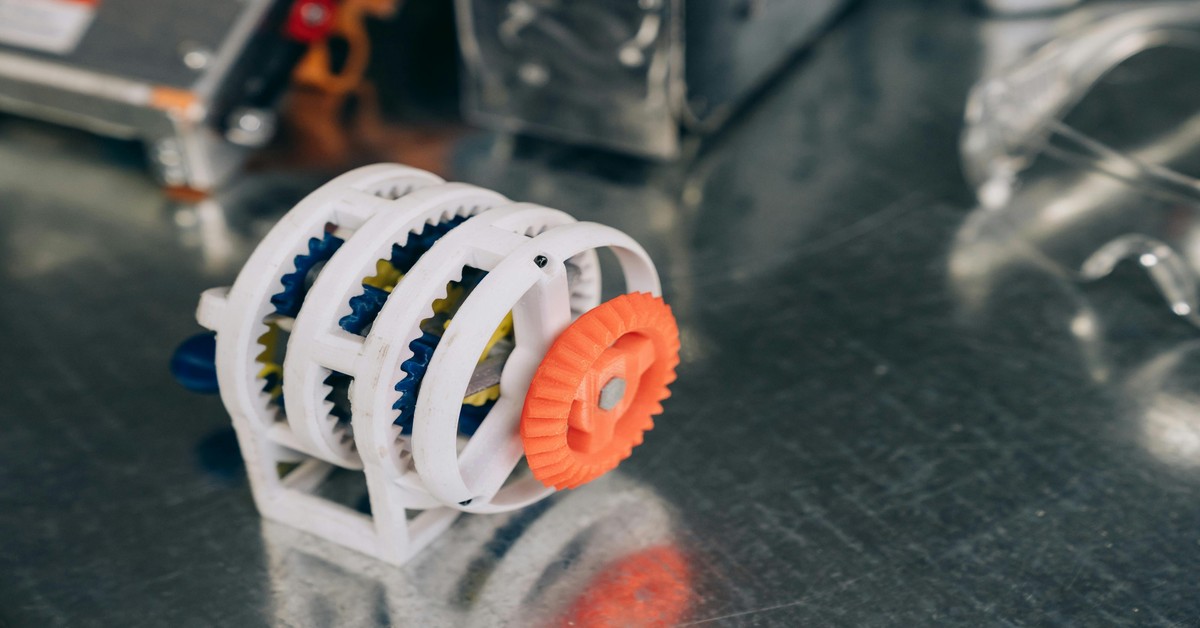
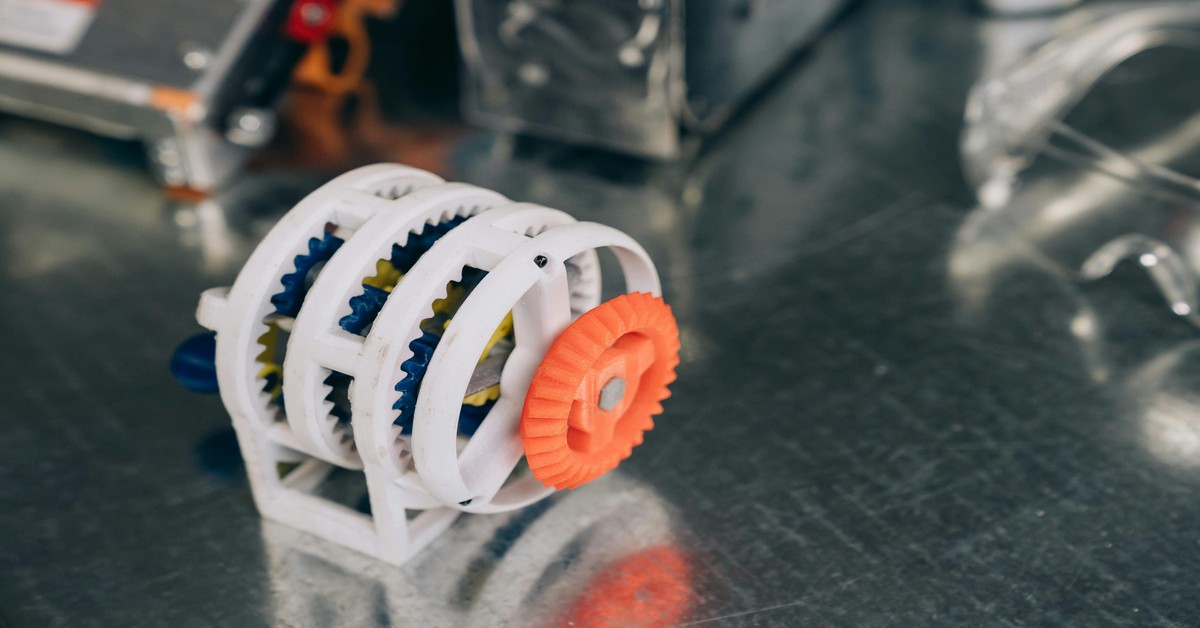 3D Printed objects including a vase, a gear, and a miniature figure.” title=”Examples of 3D Printed Objects from Different Marketplaces” />
Top Marketplace for Beginners: Printables
If you’re just starting out, Printables (run by Prusa Research) is a solid choice. It’s not just a marketplace—it’s more of an ecosystem. The library is curated, meaning every model is vetted for quality and printability. You won’t find broken or non-manifold files clogging up the search results.
The interface is clean and intuitive. You can filter by printer brand, filament type, difficulty level, and even by model category. It feels like a community more than a store. Beginners often like it because they can download a model, slice it in PrusaSlicer (also free), and hit print. There’s no guesswork.
Printables runs regular design contests that generate a steady stream of high-quality free models. If you need a specific tool or trinket, there’s a good chance someone has uploaded it. For creators, Printables offers a Printables Club subscription that gives you access to exclusive models and supports the platform. It’s also a great place to promote Prusa printers and filament, which is why many affiliate marketers link here.
Practical tip: When searching for a model, always check the “Print Profile” tab. Many users share their actual print settings, including layer height, infill, and temperature. This can save you a calibration print or two.
From what I’ve seen comparing these side by side, the differences aren’t always where you’d expect.
Best for High-Quality Commercial Models: Cults3D
For makers who want premium designs they can sell the prints of, Cults3D is a workhorse platform. It hosts a massive library of both free and paid models, with a strong emphasis on tabletop gaming, miniatures, and cosplay props. The quality ceiling is high—many designers here are professional sculptors.
Cults3D’s licensing system is robust and transparent. Each model clearly states whether it’s for personal use, commercial use, or requires attribution. This clarity is a lifesaver if you plan to sell prints at a convention or on Etsy. The platform also allows designers to set royalties and offers a fair payout structure: designers keep 80% of the sale price, which is among the best in the industry.
From a buyer’s perspective, Cults3D has excellent search filters. You can narrow results by price, license type, file format, and even by the software used to create the model. Reviews include photos of the actual prints, which gives you a realistic sense of the model’s quality before you buy.
Affiliate opportunity: This is a prime spot to link to filament or resin suppliers, as many Cults3D users are printing miniatures and terrain that require high-detail materials. A good Resin 3D Printer or a spool of high-quality PLA makes a natural recommendation here.
Competitor Comparison: Cults3D vs. MyMiniFactory
Two heavyweights in the 3D printing space are often compared: Cults3D and MyMiniFactory. They serve similar audiences but have different strengths.
| Feature | Cults3D | MyMiniFactory |
|---|---|---|
| File Quantity | Huge, over 2 million models | Smaller, curated library (~150k) |
| Quality Curation | Moderate; quality varies widely | High; each model is tested for printability |
| Licensing Clarity | Excellent, with dedicated license badges | Good, but less granular |
| Seller Payout | 80% of sale price | 70% of sale price |
| Buyer Protection | Dispute system in place | Strong, with refunds for broken files |
Situational recommendation: Choose Cults3D if you want the widest variety and are willing to sift through some lower-quality models to find the gems. Choose MyMiniFactory if you value a hassle-free experience where every model is guaranteed to print well. MyMiniFactory also has a strong focus on tabletop terrain and wargaming miniatures, so if that’s your niche, it’s the better bet.
Where to Sell Your Designs: Top Platforms for Creators
If you’re looking to monetize your 3D modeling skills, several platforms offer different strengths. Here’s a breakdown from a seller’s perspective.
CGTrader
CGTrader is one of the largest marketplaces, with a massive library of models for games, VR, and architecture. As a seller, you get 70% commission on sales, and the platform offers a “Royalty Free” licensing model that many buyers prefer. CGTrader also has an internal promotion system: you can boost your models with paid visibility, which can accelerate sales. The main downside is the sheer competition—it’s hard to stand out without a large portfolio.
Turbosquid
Turbosquid is the oldest major marketplace, and it has a reputation for high-end professional models. It’s the go-to for VFX, film, and archviz. The payout is lower (around 50% for non-exclusive), but the average sale price is higher. Turbosquid has a “Checker” tool that validates your model before submission, which reduces buyer complaints. This is ideal for sellers who produce photorealistic, high-poly models.
Sketchfab Store
Sketchfab Store is unique because it focuses on real-time 3D models optimized for web and game engines. The store integrates directly with the Sketchfab viewer, so buyers can inspect the model in a browser before purchasing. Commission rates are competitive (70%), and the community is active. This is the best platform for creators who specialize in PBR (physically based rendering) textures and low-poly assets.
Practical Advice for New Sellers
- Price strategically: Start with a few free models to build your reputation, then gradually introduce paid designs. Study what similar models cost on competing platforms.
- Use descriptive titles and tags: Include relevant keywords like “low-poly,” “PBR textures,” or “watertight” so your model appears in the right searches.
- Invest in good thumbnails: A high-quality render in good lighting can triple your click-through rate. Consider using a studio render with a clean background.
- Link to modeling software: Many sellers use Blender (free) or ZBrush (paid). A tool like 3D modeling software is a natural fit for those looking to upgrade their workflow.
Why Licensing Matters: A Quick Guide for Buyers and Sellers
Licensing is the least exciting but most important part of buying and selling 3D models. Understanding the common types prevents legal trouble and lost revenue.
Personal Use License
This is the most restrictive type. You can download the model and print it for yourself or as a gift, but you cannot sell the physical prints or share the digital file. Many free models on sites like Thingiverse fall under this. Pitfall: If you print a personal-use model and sell it at a craft fair, you’re technically infringing on the designer’s copyright.
Commercial License
This allows you to sell the physical prints you make from the digital file. Some licenses cap the number of units you can sell (e.g., “up to 500 units”). Others are unlimited. Always check the fine print. If you’re running a small print-on-demand business, a commercial license is non-negotiable.. For more on this, see our guide on Best Slicer Settings for Miniatures: Getting Resin-Like Detail on FDM Printers.
Royalty-Free License
This is a broad license that lets you use the model for any purpose (commercial, personal, educational) without paying ongoing royalties. You cannot resell the digital file itself. This is the standard for most paid models on CGTrader and Turbosquid.
Attribution License
Some free models require you to credit the original designer when you share a photo of your print or sell the physical object. This is common on Printables and MyMiniFactory. It’s easy to comply with—just add a line in your Etsy listing or Instagram post.
Example: You find a cool sci-fi helmet on Cults3D. The listing says “Personal Use Only.” You print it and post it on social media—that’s fine. You decide to take orders for custom helmets—now you need a commercial license. Contact the designer directly if the option isn’t listed.
The Hidden Costs of Free Models: File Quality and Print Failures
Free 3D models can be a goldmine, but they come with real risks. The most common issue is non-manifold geometry—edges that don’t form a closed solid. This confuses slicers and leads to garbled prints. Another frequent problem is incorrect scaling: a model might be designed in inches but interpreted as millimeters in your slicer, resulting in a tiny or enormous object.
Free models also often lack proper supports. The designer may have optimized the model for a specific printer or material, but without those supports, overhangs will collapse. You can manually add supports in your slicer, but that adds time and material.
Recommendation: Before printing a free model, run it through a repair tool like Netfabb Basic or the built-in repair function .strong>PrusaSlicer. These tools fix most non-manifold issues automatically. If you’re regularly printing free models, consider investing in a dedicated 3D model repair software subscription—it pays for itself after the first failed print.
High-quality paid models rarely have these problems because the designer’s reputation is on the line. Sometimes paying $5 is cheaper than wasting $10 worth of filament on a bad print.
Best Specialized Marketplaces for Gaming and ArchViz
Not all 3D models are meant for the printer. Game developers, animators, and architects have very different needs. Here are the best specialized platforms.
Sketchfab Store (for Real-Time 3D)
Sketchfab Store is the premier marketplace for game-ready assets. Every model is optimized for real-time rendering in engines like Unity and Unreal. You get texture maps (diffuse, normal, specular, roughness) in common formats. The viewer lets you inspect the model’s wireframe, so you can see the polygon count before buying. Best for: Indie game developers and VR creators.
Turbosquid (for High-Poly VFX and Film)
Turbosquid has the deepest library of high-poly models used in visual effects and film. These are not optimized for real-time; they’re meant for rendering in Cycles, V-Ray, or Arnold. The models often come with detailed UV maps and high-resolution textures. Best for: 3D artists working on commercials, films, or high-end archviz.
Archmodels (for Architecture)
Archmodels (part of the Evermotion family) specializes in highly detailed architectural props and human figures. The models are incredibly realistic, with proper scaling for real-world projects. They come with a commercial license for use in marketing materials and client presentations. Best for: Architects and interior designers who need photorealistic furniture or decorative items.
Practical tip: For game development, avoid high-poly models from Turbosquid unless you’re comfortable retopologizing them. Stick to Sketchfab Store if you need assets that drop directly into your game engine.
Mistakes to Avoid When Buying 3D Models Online
Even experienced makers fall into these traps. Here’s what to watch for.
- Ignoring file format requirements. You download a .3ds file, but your slicer only accepts .stl or .obj. You now need a file converter, which can introduce geometry errors. Always filter by your preferred format before searching.
- Not checking if the model is watertight. A model that looks solid in a viewer can have invisible holes. This causes the slicer to generate a thin wall or fail to create infill. Look for “manifold” or “watertight” in the description.
- Assuming all free models are print-ready. As discussed, free models often have scaling or geometry issues. Budget time for repairs or accept the risk of a failed print.
- Overlooking license restrictions on derivative works. Some licenses forbid you from modifying the model. If you want to remix a design, check the license first.
- Ignoring polygon count relative to printer capability. A model with 2 million polygons might look stunning, but your printer’s slicer could choke on the file size. For FDM printing, aim for models under 500k polygons. For resin, up to 2 million is fine.
Final Verdict: Which Marketplace Should You Choose?
Your choice depends on your primary use case. Here’s a decision matrix to help.
| User Profile | Recommended Marketplace | Why |
|---|---|---|
| Hobbyist (FDM printing) | Printables | Best curation, free high-quality models, strong community. |
| Tabletop mini enthusiast | Cults3D or MyMiniFactory | Cults3D for variety, MyMiniFactory for guaranteed print quality. |
| Commercial seller of prints | Cults3D | Clear commercial licensing and fair royalties. |
| Game developer (real-time) | Sketchfab Store | Game-ready assets with proper textures and low poly counts. |
| ArchViz professional | Archmodels or Turbosquid | Photorealism and commercial licenses for client work. |
| 3D model seller | CGTrader or Turbosquid | CGTrader for volume, Turbosquid for high-value single sales. |
If you’re still unsure, start with Printables for free models, then expand to Cults3D for premium purchases. For selling your own designs, open accounts on both CGTrader and Sketchfab Store to maximize exposure.
Action step: Pick one platform based on the table above. Search for a model you need, and if you find it, buy it with a commercial license. Then go print it. That’s how you move from planning to doing.
Frequently Asked Questions About 3D Model Marketplaces
Can I sell designs I bought from other artists?
Not unless you have a specific license that allows it. The standard commercial license lets you sell physical prints of the model, not the digital file itself. Reselling the digital file is piracy. If you want to modify and resell a model, you need a “derivative works” permission, which is rare.
What file formats are most common for 3D printing?
.STL is the universal format for FDM and resin printing. .OBJ is also common and can include color information for multi-material printers. .3MF is gaining popularity because it embeds printer profiles and material settings. Avoid .3DS or .FBX unless you plan to convert them.
Are free models safe to use commercially?
Not automatically. Many free models on sites like Thingiverse are strictly personal use. Always check the license. Some free models on Printables have a “No Derivatives” restriction, meaning you can’t modify the base design. If in doubt, contact the designer.
How do I protect my designs as a seller?
Watermark your screenshots and low-resolution previews. Use a secure file hosting service. Consider using a “Digital Rights Management” (DRM) system if your platform supports it, but know that DRM can be broken. The best protection is a strong community and a good reputation—happy customers won’t pirate your work.
What should I do if a purchased model fails to print?
I’ve been through this process enough times to know that the best choice is the one you’ll actually use.
First, check the community comments and photos—others may have solved the issue. If the model has obvious errors like holes or inverted normals, most platforms will issue a refund or store credit. Document the problem with screenshots and a description. Reputable marketplaces stand behind their products.
“`
Here’s what I’d tell a friend just starting out: buy a mid-range printer, use free software for the first six months, and spend your budget on filament — not upgrades. The person who prints 50 things on a basic setup learns more than the person who spends 50 hours researching the perfect rig.. For more on this, see our guide on How to Use Meshmixer for 3D Print Preparation and Repair: A Practical Guide.
filament on a bad print. A 3D model repair tool fixes geometry issues in a free model. Best