Best Free STL Files: Top Sites for Downloading 3D Models
If you own a 3D Printer, the real bottleneck usually isn’t the machine—it’s finding something good to print. Sifting through thousands of models to get the best free STL files can start to feel like a second job. This guide breaks down the top sites for downloading free 3D models, cutting through the noise so you can spend less time browsing and more time printing. Whether you’re just starting out or have been doing this for years, knowing where to look and what to skip makes the difference between a clean print and a wasted spool of filament.
After working through this myself, I found a few things that textbooks don’t tell you.. For more on this, see our guide on Fusion 360 vs Blender: Which Software Should You Learn?.
Why Finding Quality Free STL Files Matters More Than You Think
A bad STL file doesn’t just look rough—it can mess up your print head, eat hours of your time, and run through a lot of filament. The reality is free models vary wildly. Some are carefully tested and designed; others get exported straight from a broken CAD file without a second thought. A common beginner mistake is grabbing the first promising model they see, only to discover it has non-manifold edges, inverted normals, or is scaled to the size of a grain of rice.
Then there’s licensing. Just because a file is free doesn’t mean you can print and sell it at a market. Understanding those hidden rules is important if you ever plan to monetize your hobby. The sites on this list were evaluated not just for volume, but for file reliability and license clarity. That saves you the headache of troubleshooting a model that should have worked but didn’t, or worse, dealing with a legal issue over a commercial print.
How We Evaluated and Selected the Top Sites
To put together a trustworthy list, I didn’t just Google “free STL files” and grab the first results. I spent time testing downloads, checking how often things actually printed, and looking at community moderation. Here’s what mattered:
- Model Variety: Does the site have a good mix of functional parts, miniatures, art, and tools?
- File Quality: Are models watertight and ready to slice without a lot of repair work?
- Ease of Download: Is it a simple one-click download, or do you have to jump through hoops?
- Community & Support: Is there a rating system or comment section with useful feedback?
- Licensing Clarity: Can you tell at a glance if a model is for personal use only?
- Print Success Rate: Do the models generally print well, or are they known for failing?
These criteria help make sure the sites listed here aren’t just big—they’re genuinely useful if you actually want to print something.
Site #1: Printables.com – The Community Standard
Printables.com has become the go-to platform for a lot of makers. What sets it apart is solid curation. The site features curated collections and a “Made for Print” tag that means a model has been test-printed or designed with high standards. That’s a huge time-saver. You’re far less likely to hit a broken file here than on older repositories.
It’s great for both functional prints—cable clips, organizers, tool holders—and more detailed miniatures. The user rating system is active and honest, so you get a clear picture before committing to a download. The catch is you need a free account to download most files. For the quality you get, it’s a minor step.
Pro tip: As you collect more files, think about storage. A dedicated SD card or a fast USB drive keeps projects organized and ready to print.
Site #2: Thingiverse – The Veteran Repository
Thingiverse is the old-timer of 3D Printing file sharing. It has the largest library of free STL files by far, and you can find hidden gems there that don’t exist anywhere else. But it also has the baggage of age. The search can be clunky, and quality control is nearly nonexistent. You’ll run into a lot of broken, outdated, or poorly designed files.
To make Thingiverse work, you need a strategy. Always check the “Things” tab and look at comments and the “Makes” section. If a model has more complaints about failures than successful prints, move on. This site is best when you need something very specific or obscure—like a replacement part for an old gadget—that no other site has. For general browsing, it’s often more frustrating than rewarding.
Practical tip: When you find a good file here, download it right away. Sites like this can go down or lose data sometimes. A high-quality SD card or USB drive is handy for backing up your finds.
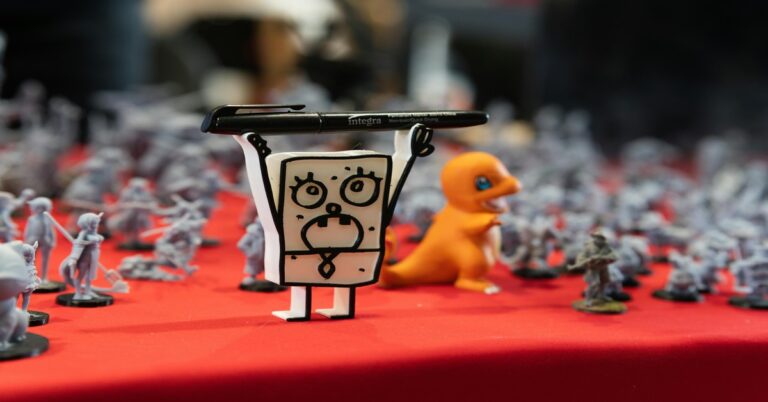
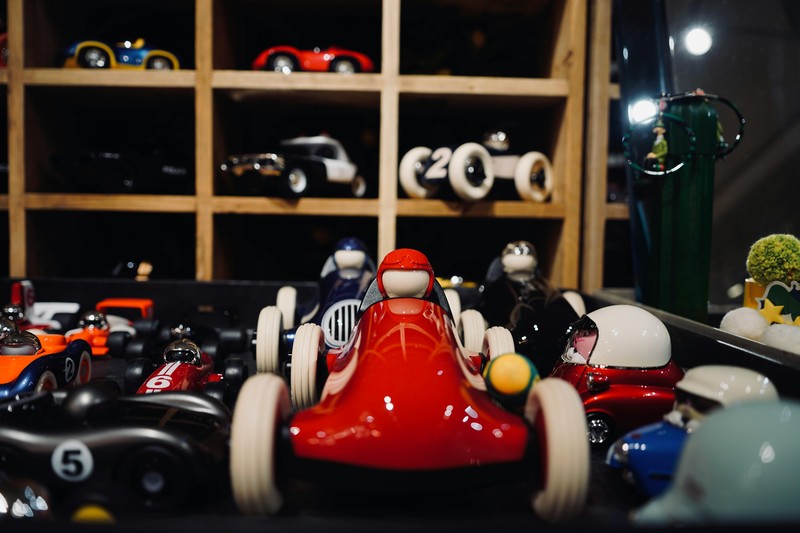 3D Printed miniatures displayed on a shelf” title=”Collection of 3D Printed Miniatures from Free STL Files” />
Site #3: MyMiniFactory – Quality Over Quantity
If you’re into resin printing, especially tabletop miniatures or detailed props, MyMiniFactory is your best bet. The platform has strict moderation—every file is reviewed before it’s published, which means a much higher success rate. Many models even come pre-supported, saving you that tedious work.
The trade-off is a smaller library compared to Thingiverse or Printables. You won’t find as many simple, everyday functional prints. But for what it does, it excels. If you print for gaming, collecting, or display, the quality here is often worth the narrower selection. There’s also a community of professional designers who sometimes release free models as teasers for their paid work.
Recommendation: If you’re into resin printing, good post-processing tools matter. A quality wash and cure station or sturdy gloves and a UV flashlight make a real difference in your final results.
I’ve used both approaches extensively, and honestly, it depends entirely on what you’re trying to accomplish.
Site #4: Cults3D – Designer Marketplace with Free Options
Cults3D blurs the line between a free repository and a designer marketplace. A lot of Professional 3D artists sell their premium models here, but they regularly offer high-quality free STL files to draw people in. The visual presentation is strong, and search features are robust, making it easy to find well-designed models by category.
The main caution is it’s easy to accidentally click a pay-per-download link. Free models are clearly marked, but the layout pushes you toward paid content. It’s a great place for high-design models that look polished and print well—you just need to be careful. Best use case is for decorative objects, artistic models, and design-forward home goods.. For more on this, see our guide on Slicing for Strength: Best Slicer Settings for Functional Parts.
Tool suggestion: To get the most out of models from Cults3D (or any site), a capable slicer is key. PrusaSlicer is a great free option, and investing in a good SD card ensures your files load and transfer without errors.
Site #5: Thangs.com – Search Engine for 3D Models
Thangs isn’t just another repository—it’s a search engine that indexes millions of models from other sites like Printables, Thingiverse, and MyMiniFactory. Its killer feature is geometric search: you can upload an image or a model and it’ll find similar 3D files. It also automatically detects remixes, which is great for finding variations of a model you like.
Because it’s an aggregator, quality control is less consistent. You’re finding models that live on other sites, so you run into the same issues. But for discovery, it’s unmatched. It’s the best tool for tracking down a specific model when you don’t remember where you saw it, or for finding new designers you wouldn’t have stumbled across otherwise.
Tip: Thangs has a browser extension that can automatically detect 3D models on a page. Handy if you regularly search for printable files across different sites.
Free STL Files Comparison Table
| Site | Ease of Use | Model Quality | Variety | Licensing | Print Success Rate |
|---|---|---|---|---|---|
| Printables | Very Good | High | Good | Clear | High |
| Thingiverse | Average | Low to Medium | Excellent | Varies | Low |
| MyMiniFactory | Good | Very High | Limited | Clear | Very High |
| Cults3D | Good | High (for free files) | Good | Clear | Medium to High |
| Thangs | Very Good | Varies | Excellent | Varies | Varies |
Common Mistakes When Downloading Free STL Files
Even on the best sites, you can hit problems if you’re not careful. Here are common mistakes and how to avoid them:
- Ignoring file previews: Don’t just look at the rendered image. Check the wireframe view or a 3D preview showing the actual geometry. A model that looks smooth might be a mess of triangles.
- Not checking the scale: 3D models are often exported in different units. Always check dimensions in your slicer before starting a print. Nothing worse than printing a tiny keychain that was meant to be a full-sized helmet.
- Forgetting to check for non-manifold edges: Use your slicer’s layer view or a tool like Meshmixer to spot issues. Printers can’t fix these on the fly.
- Overlooking licensing for commercial use: If you plan to sell prints, check the license. Many free files say “Non-Commercial.” Downloading and selling them is a violation, even if you think it’s a remix.
- Downloading without reading comments: Other users often leave useful feedback about print settings, supports, or problems. A quick read can save a failed print.
Must-Have Tools for Working with Free STL Files
To turn any free STL file into a successful print, you need more than just a printer. Here are the essentials that make the process smoother:
- A Good Slicer: PrusaSlicer (free) or Cura (free) are the gold standards. They handle most files and offer advanced features like tree supports and variable layer height.
- A Mesh Repair Tool: Meshmixer (free) or built-in repair features in some slicers can fix non-manifold edges, holes, and other errors. A quick 5-minute repair can save a model from being a total loss.
- A File Organizer: A well-organized folder system on your computer or a dedicated SD card saves time. You can even use the “Collections” feature on sites like Printables to keep track of files you want to print later.
Investing in a high-quality SD card or a fast USB flash drive isn’t just about storage—it’s about reliability. A cheap card can cause corruption mid-print. A good one is a silent workhorse.
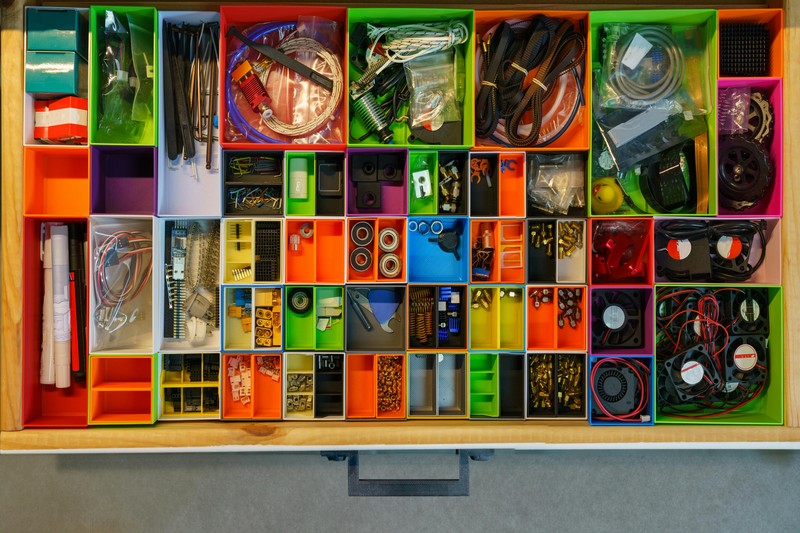
How to Choose the Right Free STL File for Your Project
Not every free file is right for every printer or project. Here’s a practical checklist:
- Match model complexity to printer capability: A highly detailed miniature needs a resin printer or a very well-calibrated FDM printer with a small nozzle. A simple box or bracket works on any machine.
- Evaluate required supports: Look at the file in your slicer to see if it needs a lot of supports. A model with 12 overhangs might take longer to print and be harder to clean up. For beginners, simpler designs are often better.
- Consider post-processing needs: Some files are designed to print and use immediately. Others need sanding, painting, or gluing. Be honest about how much time you’re willing to spend after the print is done.
- Check the file’s history: Has it been printed successfully by others? Look at the “Makes” section on Printables or comments on Thingiverse. If others have done it, you probably can too.
Simple way to think about it: Need a functional part? Go to Printables or Thangs. Want a high-detail prop? Go to MyMiniFactory. Just browsing? Stick with Printables for quality or Cults3D for design.
Final Verdict: Which Site Is Best for You?
There’s no single “best” site for all free STL files. The right choice depends on what you’re trying to do. If you’re a beginner, start with Printables.com. It has the best balance of quality and variety, and the community is helpful. If you need a specific or obscure part, Thingiverse is still the largest archive, but you’ll have to dig. For high-quality tabletop miniatures or detailed models, MyMiniFactory is hard to beat. And if you want designer-quality home decor or artistic pieces, Cults3D has free options that look great.
Your best strategy is to use all of them. Start your search on Thangs to discover files across platforms, then download from the specific site. The most important thing is to actually start printing. A so-so model you print is worth more than a perfect one you just downloaded. Get out there, find something interesting, and start making.
Frequently Asked Questions About Free STL Files
Are free STL files really free?
Yes, in terms of download cost. But always check the license. Some require attribution if you share your prints, and many prohibit commercial sale. A free download doesn’t mean you own all the rights.
Can I sell prints from free files?
Only if the license explicitly says so. Look for “Commercial Use” allowed. Even if you modify a file, you still need to respect the original designer’s license. Safer to check before listing something for sale.
How do I know if a file will print?
Look for user confirms, “Makes” sections, and high download counts. A file with 50 successful makes is almost certainly print-ready. A file with 2 downloads and no comments is a gamble.
After all the research and comparison, I’ve found that the simplest answer is usually the right one.
What should I look for in a download?
Clear file name, proper scale, a preview image showing the model from multiple angles, and a license that matches your intended use. A good file also comes with printing recommendations if it’s complex.
That wraps up this guide. The key is to pick something that fits your actual workflow — not the one you hope to have. Start with the free options, test what works, and upgrade when you hit a wall. You’ll save money and frustration that way.. For more on this, see our guide on Best 3D Model Marketplaces: Where to Buy and Sell Designs.