Best Professional 3D Printers for Small Business Prototypes
Introduction
When you’re running a small business and need to move from a screen idea to a physical part, the printer you pick becomes central to your workflow. Not every “professional 3D Printer” is the same. Some are built for speed, letting you iterate through a dozen design tweaks before lunch. Others prioritize material variety, allowing you to test a final prototype in the same engineering-grade nylon your production partner will use. And a few focus on surface finish and precision, saving you hours of sanding and priming.
This guide is here to cut through the noise. I’ve spent years running print farms, burning through spools, and figuring out which machines actually hold up under the demands of a small business. We’ll look at top contenders based on real performance criteria—print precision, build volume, material compatibility, and reliability over long runs—not just marketing specs. The goal is simple: help you find the best professional 3d printer for your specific prototyping needs, budget, and workflow. Ready to compare? Let’s dig into what really makes these machines tick for a small business owner.. For more on this, see our guide on Industrial 3D Printers vs Desktop: When to Make the Switch.
What Makes a 3D Printer ‘Professional’ for Prototyping?
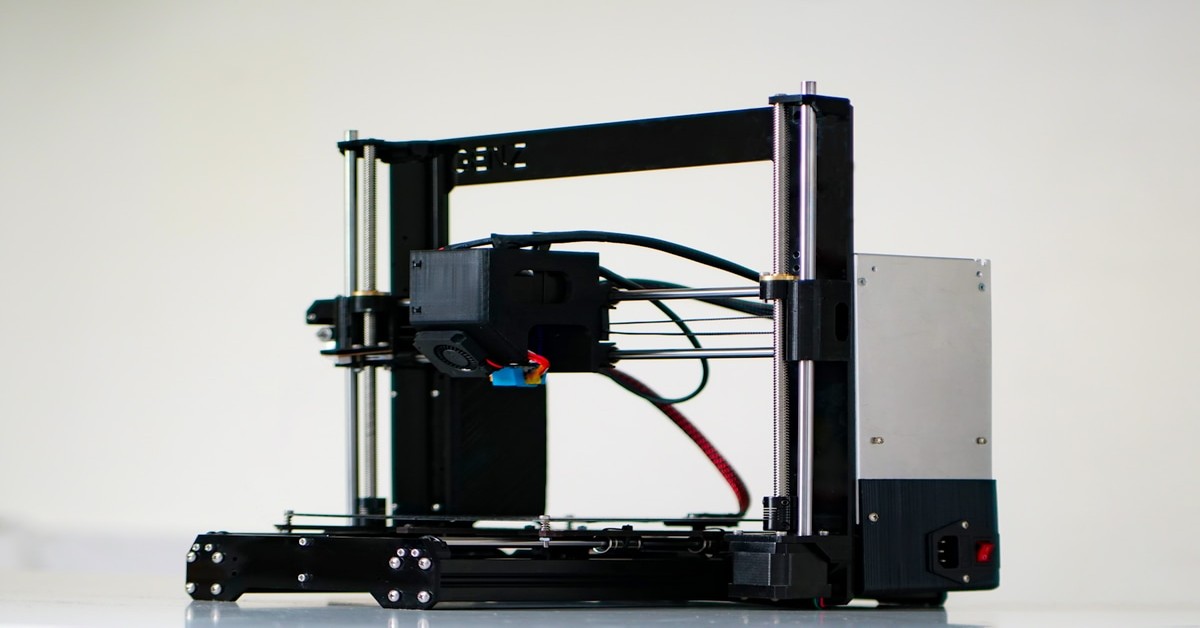
Before jumping into specific models, it’s worth defining what “professional” actually means here. It’s not just a higher price tag or a more industrial-looking frame. For small business prototyping, a professional 3D printer needs to deliver on a few key fronts.
Print precision is the first thing to think about. We’re talking about consistent layer heights below 0.1mm and tight dimensional accuracy. Your prototype needs to match your CAD model closely, especially for parts that will be assembled or tested with other components. A 0.2mm layer height might work for a quick concept model, but for functional testing, you’ll need 0.08mm or 0.04mm layer capability without sacrificing reliability.
Build volume is another major factor. If you’re prototyping larger parts—think enclosures, brackets, or consumer product housings over 200mm in any dimension—a machine with a small print bed becomes a bottleneck. You’ll either split the part (risking warping at seams) or waste time reprinting. Most small businesses find a build volume of at least 250x250x250mm to be a sweet spot, though larger capacity is often worth the investment.
Material compatibility is where beginners often get tripped up. A truly professional printer should handle more than just PLA. You’ll likely need engineering-grade materials like ABS (requires an enclosed chamber for proper layer adhesion), PETG (better heat resistance), nylon (impact resistance), or even polycarbonate for truly industrial prototypes. If a printer can’t handle abrasive filaments like Carbon Fiber-reinforced nylon out of the box, you’ll be limited in what you can test.
Speed and reliability are the final two pillars. Speed allows for faster iteration, which directly translates to shorter product development cycles. Reliability means you can start a long print overnight without worrying about a jam or failure wasting expensive filament and time. In a small business setting, downtime is costly. A professional machine should be capable of running for days with minimal adjustment.
Finally, the software ecosystem matters. A good slicer (the software that converts your model into printer instructions) should offer granular control over supports, infill patterns, and custom profiles for different materials. Ideally, it should also manage multiple printers in a farm setup. These criteria form the basis of our recommendations below.
The 5 Best Professional 3D Printers for Prototyping at a Glance
Here’s a quick overview if you’re short on time. Each is matched to a specific prototyping need.
- Prusa XL – Best for precision and multi-material prototyping
- Bambu Lab X1 Carbon – Best for speed and fast iteration
- UltiMaker S5 – Best for support material and complex geometries
- Creality K1 Max – Best budget option for large prototypes
- Anycubic Kobra 2 Max – Best for extra-large prototypes on a tight budget
Scroll down for full reviews and hands-on insight to see which one fits your workflow best.
1. Prusa XL – Best for Precision and Multi-Material Prototyping
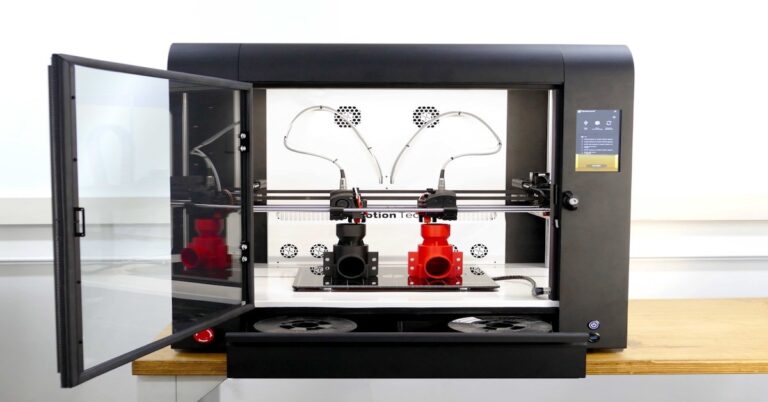
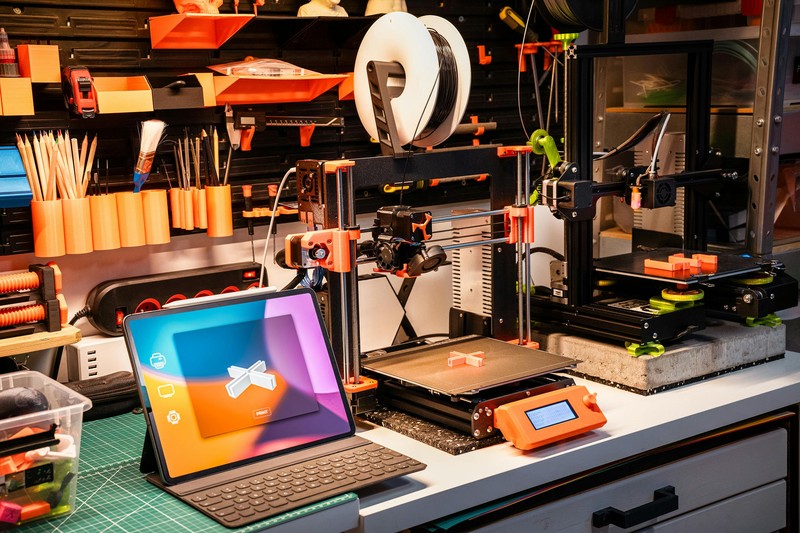
The Prusa XL is the machine you buy when you need to get complex prototypes right the first time. Its standout feature is the large build volume—around 36 centimeters cubed—which gives you room to print sizable parts without splitting them. But the real magic is the tool changer system. Instead of a single print head, it uses multiple independent tool heads that can swap between materials mid-print.
This becomes incredibly useful for functional prototypes. Imagine printing a part that needs a soft TPU gasket and a rigid PLA body in a single run. With the XL, you can do that seamlessly. The tool changer also lets you use different nozzle sizes for different purposes—a 0.4mm nozzle for precision features and a 0.6mm for faster infill. The print quality is exceptional, with consistent layer adhesion and nearly invisible layer lines at 0.05mm.
On the reliability front, Prusa’s track record is hard to beat. The XL benefits from years of firmware development and community support. It also comes with a heated bed that reaches temperatures high enough for ABS and polycarbonate (up to 120°C) and an enclosure that maintains stable chamber temperatures. For a small business, this means less time troubleshooting and more time iterating.
Drawbacks: The price is steep—around $4,000 for a single-tool head setup, increasing with additional tools. The heavy frame also requires a dedicated workspace. But if your prototyping demands multi-material precision and you have the budget, it’s hard to beat.
Best for: Businesses that need complex, multi-material prototypes with high dimensional accuracy. Think product design consultancies, engineering firms, or anyone testing assemblies with different properties in one part.
2. Bambu Lab X1 Carbon – Best for Speed and Fast Iteration
If your small business runs on tight deadlines and rapid design cycles, the Bambu Lab X1 Carbon is the printer to watch. This machine uses a CoreXY motion system that lets it move faster than traditional Cartesian designs while maintaining accuracy. Print speeds of 200-300mm/s are typical, and it can finish a standard prototype in a fraction of the time it would take on slower rivals.
Speed alone would be enough, but the X1 Carbon packs in features that make it genuinely useful for prototyping. The hardened nozzle comes standard, so you can print abrasive filaments like carbon fiber or glow-in-the-dark without swapping parts. The Lidar-assisted first-layer calibration is a huge time saver—it scans the build plate and adjusts the nozzle distance automatically, preventing the most common cause of print failure. The enclosed chamber handles ABS and polycarbonate with ease, reaching up to 120°C for the bed and 60°C for the chamber.
For a small business, the X1 Carbon excels in batch printing and rapid iteration. You can print a part, tweak the design, and have a revised version in hand within a few hours. The connected ecosystem—Bambu Studio slicer, cloud monitoring, and a mobile app—makes managing the machine straightforward.
Drawbacks: Noise is noticeable—it’s not office-friendly. The proprietary ecosystem also means you’re somewhat locked into Bambu Lab’s filament (or at least their RFID-tagged spools for full features). But for speed-critical work, these are minor tradeoffs.
Best for: Small design studios, product development firms, and prototyping shops that prioritize speed and iteration over multi-material functionality.. For more on this, see our guide on Best Budget 3D Printers Under $300: High Quality on a Budget.
3. UltiMaker S5 – Best for Support Material and Complex Geometries
Sometimes your prototype needs intricate internal channels, overhanging features, or geometries that are impossible to print without support. That’s where the UltiMaker S5 shines. This printer uses a dual-extrusion system that lets you print with two materials simultaneously—one being soluble support material like PVA or breakaway support.
The workflow is straightforward: slice your model in Cura (which is deeply integrated with UltiMaker printers), assign one nozzle for your primary material (say, CPE or PLA) and the second for PVA. The printer lays down the support structure alongside the part, and when the print finishes, you simply drop it into water to dissolve the supports. The result is clean, complex parts with no post-processing scars. The build volume of 330 x 240 x 300 mm is generous and well-suited for functional prototypes.
Reliability is a hallmark of the S5. It uses a glass build plate with adhesive that works well for most materials, and the active bed leveling ensures consistent first layers. The enclosed frame reduces warping, and the built-in camera lets you monitor prints remotely. For small businesses that frequently prototype parts with tight tolerances and complex shapes, the S5 is a workhorse.
Drawbacks: Print speeds are slower than CoreXY machines. The machine is also expensive—around $6,000 for the printer alone. PVA filament is an ongoing expense. If your prints don’t require soluble supports, a simpler machine might be a better use of funds.
Best for: Engineering teams prototyping parts with internal channels, lattice structures, or complex overhangs that need clean support removal. Think fluid dynamics parts, medical device prototypes, or intricate consumer electronics enclosures.
How to Choose the Right Professional 3D Printer for Your Prototyping Workflow
With the right machine in sight, the next step is matching it to your actual workflow. Here’s a simple decision matrix to help you narrow it down:
- Do you need speed? Go with the Bambu Lab X1 Carbon. Its CoreXY design and fast print speeds will cut your iteration cycles significantly.
- Do you need multi-material prototyping? The Prusa XL is your best bet. The tool changer gives you unmatched flexibility for printing different materials in a single part.
- Do you need to print complex geometries with dissolved supports? Choose the UltiMaker S5. Its dual-extrusion system and Cura integration eliminate post-processing for support removal.
- Is budget your primary concern? Consider the Creality K1 Max. It offers a large build volume (300x300x300mm) and decent speed for under $1,000. It’s not as refined as the premium options, but it’s a capable workhorse for basic prototyping.
- Need extra-large prints? The Anycubic Kobra 2 Max (400x400x400mm) gives you immense build volume for large casework or jigs. Print quality is good, but expect slower speeds and more fiddling with calibration.
Think about your most common prototype type. If you frequently test mechanical fits, dimensional accuracy is king—go with the Prusa or UltiMaker. If you’re iterating on form and aesthetics, speed matters more. And if you’re prototyping with engineering-grade materials, ensure the printer has an enclosed chamber and a hardened nozzle.
Essential Accessories for a Professional Prototyping Setup
Even the best printer needs the right supporting gear to deliver consistent results. Here are the accessories that solve real problems in a prototyping workflow:
- Filament Dryer: Moisture in filaments like nylon, polycarbonate, and TPU causes bubbles, stringing, and layer adhesion issues. A reliable filament dryer (around $60) is a popular choice that can dry multiple spools simultaneously. It’s a small investment that dramatically improves print quality with hygroscopic materials.
- Build plates: A PEI or textured build plate improves adhesion for materials like PETG and TPU and reduces the need for glue sticks or hairspray. It also makes part removal easier. Most printers come with one, but upgrading to a premium version (like the Wham Bam PEX sheet) can pay off in fewer failed prints.
- Post-processing tools: A set of files, sandpaper (from 120 to 1000 grit), a deburring tool, and a small hobby knife are essential for cleaning up edges and supports. A primer/filler spray can (like Rust-Oleum automotive primer) helps hide layer lines for presentation prototypes.
- Enclosure or air filtration: If you plan to print with ABS or polycarbonate, an enclosure is non-negotiable for preventing warping and releasing fumes. Many printers come with built-in enclosures, but for open-frame machines, a DIY enclosure or a HEPA filter unit is a must for your health and print quality.
These accessories solve specific workflow problems. A filament dryer prevents waste, a good build plate saves time on leveling, and post-processing tools turn a rough prototype into a client-ready presentation piece.
Common Mistakes When Choosing a Professional 3D Printer for a Small Business
After helping dozens of small business owners set up their prototyping workflows, I’ve seen the same handful of mistakes repeated. Avoiding them can save you money, time, and frustration.
Mistake 1: Overlooking material compatibility. Buy a non-enclosed printer and you’re effectively stuck with PLA and maybe PETG. If you later need ABS for heat resistance or nylon for strength, you’ll have to buy a second printer. Solution: Plan ahead. Even if you don’t need engineering materials today, choose a printer that supports them (with an enclosure and a heated bed). The cost difference is worth the flexibility.
Mistake 2: Ignoring post-processing time. A beautiful print that takes 20 hours to finish but requires 4 hours of sanding, filling, and painting is not a fast prototype. If you’re constantly iterating, choose a printer that delivers a smooth surface finish out of the gate (like the Prusa XL at 0.05mm layer height) or one that uses soluble supports (like the UltiMaker S5).
Mistake 3: Buying too much printer for current needs. A $6,000 UltiMaker S5 might be overkill if you’re only printing simple brackets and enclosures. The maintenance overhead (dual nozzle calibration, PVA storage, glass build plate care) adds complexity. Start with a machine that matches your current volume and complexity, and upgrade as you grow. For many, the Bambu Lab X1 Carbon hits a sweet spot between capability and simplicity.
Mistake 4: Not accounting for software compatibility. Some printers require proprietary slicers that may not support your preferred file formats or have limited custom profiles. Always check that the slicer works with your CAD software’s output (typically STL or 3MF files) and that the community has a strong library of material profiles for your specific Filament Brands.
These mistakes are common but avoidable. The solution is always the same: define your requirements before you buy.
Final Verdict: Which Professional 3D Printer Is Right for You?
There is no single best professional 3d printer for every small business. The right choice depends entirely on your prototyping patterns.
- For speed and fast iteration: Bambu Lab X1 Carbon. If you’re constantly refining designs and need quick turnarounds, this is your machine.
- For multi-material and precision: Prusa XL. When dimensional accuracy and material variety matter most, the XL delivers.
- For complex geometries with clean supports: UltiMaker S5. Internal channels and overhangs become manageable with soluble supports.
- For budget-conscious buyers: Creality K1 Max. It offers a large build volume and decent speed at a fraction of the cost.
The key takeaway? Match the printer to your most common prototype type, material needs, and budget. Don’t be swayed by hype or an impressive spec sheet that you’ll never fully use. Starting with a well-matched machine will save you weeks of frustration and accelerate your product development.
Now it’s time to compare your options and find the best fit for your workflow. Travelers looking to keep their tools organized may find a 3d printer tool kit useful for maintaining their setup. Click through to check current pricing, read verified buyer reviews, and make a decision that moves your business forward.
My honest take: don’t chase features you won’t use. The $3000 printer won’t make you a better designer, and the pro software won’t help if you never open it. Match the tool to your actual projects, not your aspirations. That’s how you actually finish prints instead of just reading about them.. For more on this, see our guide on The Best Dual Extruder 3D Printers for Multi-Material Printing.
supports: UltiMaker S5. Internal channels and overhangs become manageable with soluble supports