CoreXY vs Cartesian 3D Printers: Speed and Accuracy Compared
Introduction — Corexy Vs Cartesian 3D Printers
Affiliate Disclosure: As an Amazon Associate, 3D Shopper earns from qualifying purchases. This does not affect our recommendations.
If you’re shopping for a new 3D printer right now, you’ve almost certainly run into the term “CoreXY” and wondered what makes it different from the more traditional Cartesian designs most of us started with. It’s one of the most common points of confusion for hobbyists and makers trying to decide which printer will actually serve them best.. For more on this, see our guide on FDM vs Resin Printers: Which Technology Should You Buy First?.
After working through this myself, I found a few things that textbooks don’t tell you.
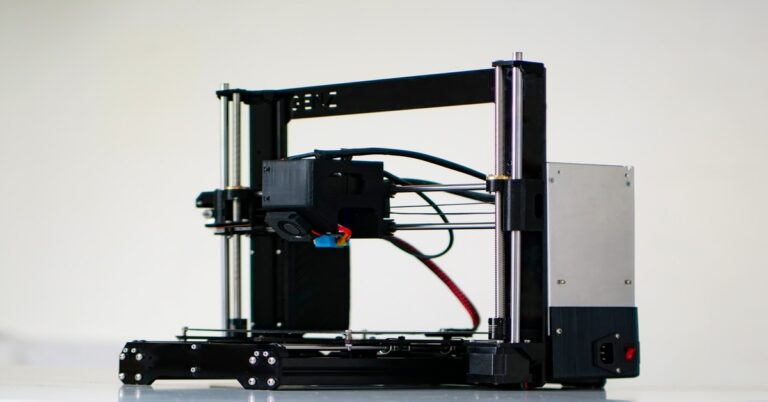
At a basic level, both systems move a print head in three dimensions to build a part layer by layer. The difference is how they move. A Cartesian printer (like the classic Creality Ender 3) drives each axis independently—one motor for X, one for Y, and one for Z. A CoreXY printer uses two motors fixed to the frame and a clever belt arrangement to move the print head diagonally, allowing faster and more coordinated motion.
I’ve built and tuned both types over the last several years. I’ve watched beginners struggle with bed slingers and watched experienced makers swear by their custom CoreXY builds. The goal here is straightforward: give you a clear, practical breakdown of how these systems compare on speed, accuracy, cost, and real-world usability so you can make an informed decision—not just chase a spec sheet.
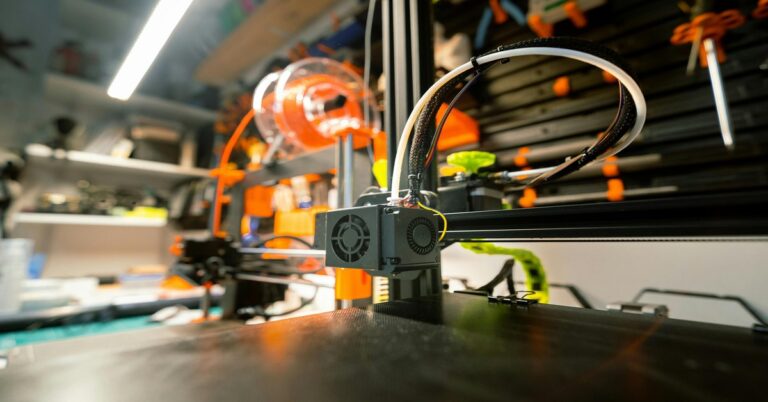
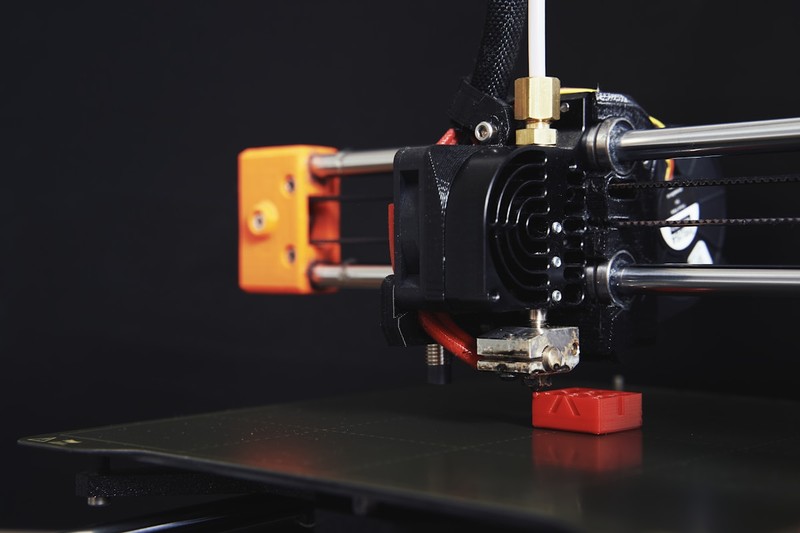
 CoreXY 3D printer gantry showing dual belts and XY joint” title=”CoreXY Gantry vs Cartesian Gantry Comparison” />
How Cartesian Printers Work: The Gantry Approach
Cartesian motion systems are the most common and accessible design in consumer 3D Printing. Named after the Cartesian coordinate system, these printers move the print head or the build plate along straight, independent X, Y, and Z axes.
Most entry-level and mid-range printers fall into this category. The classic “bed slinger” design—like the Creality Ender 3 series—moves the build plate forward and backward along the Y-axis while the print head moves left and right on the X-axis and up and down on the Z-axis. It’s simple, mechanically straightforward, and cheap to manufacture.
The main strengths of Cartesian printers are their simplicity and low cost. There are fewer moving parts to fail, replacement components are widely available and inexpensive, and troubleshooting is generally easier because each axis is decoupled. If your X-axis is binding, you know exactly where to look.
The tradeoffs are mostly about speed. Because the build plate moves back and forth (often a heavy bed with a glass surface), inertia becomes a real problem at higher speeds. You also get bed wobble and ringing artifacts sooner than you would on a lighter motion system. Print speeds under 80 mm/s are typical for bed slingers, and pushing much faster usually requires significant upgrades like a lighter bed or Linear Rails. For those looking to upgrade their Cartesian, a linear rail kit can help reduce friction and improve consistency.
That said, for many users, a well-tuned Cartesian printer delivers excellent print quality. The mechanical simplicity means fewer sources of error if everything is correctly aligned. For a beginner or someone printing small to medium-sized parts with standard materials, a Cartesian is still the most cost-effective option.
How CoreXY Printers Work: The Belt-Driven Alternative
CoreXY is a mechanically different approach to the same problem. Instead of each axis having its own dedicated motor that moves a heavy component, a CoreXY system uses two motors fixed to the frame. These motors are connected to the print head via a continuous loop of belts arranged in an XY gantry.
When one motor turns, the print head moves diagonally. When both motors turn together, the print head moves along a pure X or Y direction. The result is that the print head itself is the only moving mass—no heavy bed slinging back and forth.
This design allows for much higher print speeds. A well-built CoreXY printer can comfortably run at 200–500 mm/s with reasonable acceleration settings. The reduced inertia means less ringing and ghosting at speed, provided the frame is rigid and the belts are properly tensioned.
Popular examples include the Voron 2.4 (a DIY kit that’s become a benchmark for the system) and the Creality K1 series. The Bambu Lab P1S and X1 Carbon are also CoreXY designs, which partly explains why they gained such a strong reputation for speed out of the box.
The tradeoffs are real. CoreXY printers are more complex to build and calibrate. Belt tension must be precise and even on both sides. If your belts are loose or the frame isn’t square, you’ll introduce skew artifacts that are harder to diagnose than a simple binding issue on a Cartesian. A good belt tension meter can help ensure both belts are evenly tensioned and reduce these issues. Initial cost is also higher—even a budget CoreXY kit typically costs more than a comparable Cartesian machine.
For makers who want speed, reliability at high accelerations, and are comfortable with a bit more complexity, CoreXY is the superior system. But it’s not a magic bullet. It requires more attention to build quality and maintenance.
Something I noticed right away: the more expensive option isn’t always the better fit.
CoreXY vs Cartesian: Head-to-Head Comparison Table
| Criteria | Cartesian | CoreXY |
| Typical Max Speed | 50–100 mm/s | 200–500 mm/s |
| Accuracy | Excellent at moderate speeds | Excellent when tuned, sensitive to calibration |
| Build Volume (typical range) | Small to medium (220x220x250mm common) | Medium to large (250x250x250mm up to 350x350x350mm) |
| Assembly Difficulty | Easy to moderate | Moderate to difficult (especially kits) |
| Cost (Entry Level) | $200–$400 | $400–$1,000+ |
| Upgrade Potential | Good, but limited by bed inertia | Excellent, but complex to modify |
| Print Quality at Speed | Drops quickly above 80 mm/s | Maintains quality up to 150–200 mm/s |
| Maintenance | Simple, easy to fix | Requires belt care, frame alignment checks |
This table highlights the core tradeoffs. Cartesian printers win on price, simplicity, and reliability at moderate speeds. CoreXY printers win on raw speed, potential build volume, and ability to maintain quality at higher speeds. Neither is objectively better—it depends entirely on what you plan to print.
Speed: Is Faster Always Better?
When you see a CoreXY printer marketed at 500 mm/s, it’s easy to assume that speed is the only thing that matters. But real-world printing is more nuanced than just the maximum feed rate.
Acceleration profiles matter just as much as top speed. A printer that can move fast on paper might not be able to accelerate and decelerate smoothly without overshooting tight corners. Input shaping (like Klipper’s resonance compensation) helps a lot here, but it requires tuning specific to your machine’s frame and mass.
Material constraints also cap practical speed. Printing PLA at 300 mm/s is possible, but you’ll need a powerful cooling fan and a well-tuned hotend. Printing ABS or PETG at those speeds is much harder because the material needs more time to melt evenly and solidify cleanly. Stringing, oozing, and poor layer adhesion become real issues.
For production environments where throughput matters—like printing multiple identical parts—CoreXY is genuinely faster. For a single decorative print or a mechanical part that needs tight tolerances, you might not notice the difference between a 6-hour Cartesian print and a 4-hour CoreXY print. The extra cost might not justify the time saved.
My honest take: If you print mostly small parts or detailed miniatures, the speed advantage of CoreXY is marginal. If you print functional parts, prototypes, or run batches, the speed difference is significant.
Accuracy and Print Quality: What the Layers Tell You
Accuracy is where the marketing gets fuzzy. Both systems can produce excellent prints. The question is consistency and how much effort it takes to get there.
A well-tuned Cartesian printer with a rigid frame and consistent Z-axis movement produces incredibly clean layer lines. Because the kinematics are simpler, there’s less chance of compounded errors from belt stretch, pulley alignment, or differential tension. For single-part prints that don’t require high speed, many makers still prefer Cartesian for its reliability.
CoreXY printers, when properly built and calibrated, can match or exceed Cartesian accuracy at high speeds. But they are more susceptible to a specific set of artifacts. Belt tension imbalance can cause skew—the part looks parallelogram-shaped instead of square. Ghosting and ringing at high accelerations are also more visible if input shaping isn’t tuned. Z-banding can still occur on both systems if the Z leadscrews are bent or the motors aren’t well-coupled.
Community data from forums like the Voron Discord shows that a well-maintained CoreXY printer can hold tolerances within ±0.1 mm on complex parts. That’s comparable to a good Cartesian machine. The difference is that a Cartesian tends to start accurate and stay accurate with minimal intervention, while a CoreXY requires more careful initial calibration and periodic maintenance to maintain that level.
For functional parts—brackets, enclosures, gears—both systems are more than adequate. For very fine detail work like jewelry patterns or small figurines, a Cartesian running at conservative speeds often produces smoother results out of the box.. For more on this, see our guide on The Best Dual Extruder 3D Printers for Multi-Material Printing.
Common Mistakes to Avoid When Choosing
The biggest mistake I see is buying a CoreXY printer purely for speed without considering whether you actually need it. If your prints spend most of their time on your desk and you’re printing one part at a time, the speed difference is minimal.
Another mistake is assuming Cartesian printers are slow by nature. A well-tuned Cartesian with a lightweight bed, linear rails, and Klipper firmware can run comfortably at 100–120 mm/s with good quality. That’s fast enough for most hobbyist work.
Ignoring build volume is also common. CoreXY printers often offer larger build volumes in the same footprint. But if you mostly print small parts, you’re paying for space you won’t use. Conversely, if you want a 300mm cube printer, Cartesian designs become harder to engineer due to bed weight—CoreXY is the better choice at larger sizes.
Firmware and software also matter more than most beginners think. A printer is only as good as its motion control. A Cartesian with Marlin and good acceleration settings often prints cleaner than a CoreXY running stock firmware with bad jerk settings. Don’t ignore the software side.
Finally, don’t chase specs. A printer marketed as “500 mm/s” won’t print well at that speed without significant tuning and hardware quality. Read real user reviews, not just headline numbers.
Best Printers in Each Category ( Picks)
Here are my current recommendations based on value, reliability, and real-world performance.
Best Cartesian Printers
Creality Ender 3 V3 – This is a significant upgrade over the classic Ender 3. It has a faster hotend, better cooling, and a linear rail on the X-axis. It’s still a bed slinger, but it runs 180 mm/s out of the box reliably. Best for beginners and budget-conscious makers. Price: ~$300.
Bambu Lab A1 – A modern Cartesian design with a remote Direct Drive Extruder and auto-calibration. It’s fast for a Cartesian (up to 200 mm/s) and produces excellent quality with minimal fuss. The A1 is the best option if you want plug-and-play reliability with Cartesian simplicity. Price: ~$400.
Best CoreXY Printers
Bambu Lab P1S – This is the printer that changed the conversation about CoreXY accessibility. It comes pre-calibrated, has actively controlled chamber temperature, and prints up to 500 mm/s. It’s expensive but delivers on speed out of the box. Price: ~$700.
Creality K1 Max – A large-format CoreXY with a build volume of 300x300x300mm. It includes a filament flow sensor, camera, and AI failure detection. It’s not as refined as the P1S, but it offers excellent value for the size. Price: ~$850.
Voron 0.2 – A small, fast DIY CoreXY kit. It’s not for beginners, but it’s a fantastic project for experienced makers who want top-tier performance in a compact package. Price: ~$500 (kit).
What About Hybrids? CoreXY-Like Designs
You might also see H-bot or i3-style printers marketed as “CoreXY-like.” These use similar belt arrangements but with different mechanical configurations.
H-bot uses a single belt loop rather than two separate belts. This design is simpler but introduces a constraint force that can cause twisting under high acceleration. It’s less common now because most makers prefer true CoreXY for stability at speed.
Moving bed CoreXY designs existed for a while but are rare today. They tried to combine the CoreXY head movement with a moving Z bed, but the complexity outweighed the benefits. The trend is toward fixed-bed CoreXY systems for larger build volumes.
My advice: unless you have a specific reason to look at a hybrid, stick with a true CoreXY if you want speed. The hybrids often sacrifice mechanical simplicity without gaining enough benefit.
Is Upgrading Worth It? From Cartesian to CoreXY
If you already own a Cartesian printer and are considering upgrading to a CoreXY, the answer depends on what you want to achieve.
If your current printer prints fine and you’re not bottlenecked by speed, an upgrade is probably not worth the cost and assembly time. A CoreXY kit like a Voron or a pre-built like the P1S will set you back $500–$1,500. For that money, you could buy several Cartesian upgrades like a new hotend, linear rails, and Klipper—often getting 80% of the performance improvement for much less. A printer upgrade kit can be a cost-effective way to boost Cartesian performance before committing to a whole new machine.
However, if you are regularly printing large parts, running small production batches, or find yourself frustrated by slow prints, a CoreXY upgrade can transform your workflow. The time savings add up quickly if you’re printing in volume.
One practical approach: keep your Cartesian printer for small, detailed work or secondary jobs, and use the CoreXY for speed and volume. That’s my current setup. The Cartesian prints fine detail overnight; the CoreXY runs batches during the day.
If you are considering building a CoreXY kit, be realistic about the assembly time. A Voron kit takes 20–40 hours for a first-time builder. It’s a rewarding project but not a quick upgrade.
Final Verdict: Which Should You Buy? (Decision Guide)
Here’s how I break it down for readers who ask me this question directly.
Buy a Cartesian printer if:
- You are a beginner or on a tight budget.
- You print mostly small to medium parts.
- You value simplicity and easy maintenance.
- You don’t mind print times between 4–12 hours.
- You want a reliable machine you can upgrade gradually.
Buy a CoreXY printer if:
- You need higher throughput for prototypes or production.
- You print large parts frequently.
- You are comfortable with more complex calibration.
- You want the best speed-to-quality ratio at higher speeds.
- You are willing to invest more upfront.
For hobbyists: The Bambu Lab A1 (Cartesian) or the Creality K1 (CoreXY) are both solid starting points. The A1 is simpler, the K1 is faster. Neither will disappoint.
For professionals: The Bambu Lab P1S or a Voron build are the gold standards. No compromise on throughput or quality.
I’ve been through this process enough times to know that the best choice is the one you’ll actually use.. For more on this, see our guide on Best IDEX 3D Printers for Productivity and Mirror Printing.
Ultimately, there is no universally better system. CoreXY vs Cartesian 3D printers both have strengths and weaknesses that matter differently depending on your use case. Match the printer to your actual workflow, not to the fastest number on a spec sheet. That’s the real shortcut to a satisfying purchase.