The Best Desk for 3D Printer: Sturdy Workstations for Reliable Printing
Introduction
If you’ve watched a perfect first layer turn into something resembling modern art by layer 50, you already know vibration is the enemy. A desk that wobbles doesn’t just look bad. It introduces layer shifts, ringing, and failures that eat time and filament. Nine times out of ten, the problem isn’t the printer itself—it’s what you’ve set it on.
After testing a bunch of different setups across multiple printers over the last few years, I can say pretty confidently that choosing the best desk for 3d printer use comes down to three things: rigidity, flatness, and weight capacity. That sleek IKEA desk might look great in a product shot, but it’ll flex under a moving gantry. This guide is for someone who’s actively looking to buy. I’ve used these options with an Ender 3 Pro, a Bambu Lab X1C, and a Prusa MK4. Skip the guesswork and get a desk that stays out of your printer’s way.. For more on this, see our guide on Best Direct Drive Extruders for Improved TPU Printing.
What Makes a Desk Good for a 3D Printer? Key Criteria to Consider
Before diving into specific desks, let’s cover what actually makes one work for 3D printing. Not every sturdy office desk qualifies.
Structural rigidity is the first thing I check. If a desk sways when you push it, you’ll see it in your prints. Look for steel frames, crossbars, and heavy-gauge materials. Particleboard alone usually isn’t enough.
Weight capacity adds up fast. A printer alone is 15–30 pounds. Add a filament spool, enclosure, glass bed mod, and a few spare rolls on a shelf, and you’re looking at 100 pounds easily. The desk needs to handle that without sagging over time.
A flat, level surface is non-negotiable. Warped desktops make bed leveling a nightmare. Solid wood, butcher block, or thick laminate are way better than hollow-core materials.
Vibration dampening cuts down on high-frequency noise. A thick top helps. Pairing it with a rubber mat or a concrete paving stone works even better. For isolating your printer further, a vibration dampening mat is worth a look.
Storage for filament, tools, and spare parts keeps things organized. You don’t need a dozen drawers, but some dedicated space beats a cluttered table every time.
Keep these in mind as you read the recommendations. They’re the reason each desk made this list.
1. The Best Heavy-Duty Workbench: Seville Classics UltraHD Workbench
When you want a desk that feels like a concrete slab, the Seville Classics UltraHD Workbench is the clear winner. It’s the most stable option I’ve used for running multiple printers at once.
The steel frame is thick and welded—not bolted together with flimsy brackets. The solid wood top absorbs vibration better than particleboard. Weight capacity is rated at over 2,000 pounds distributed. That’s not a typo. For 3D printing, it means zero flex under a heavy coreXY machine or a stack of printers.
Practical details matter here. The built-in power strip keeps cables tidy. The lower shelf is sturdy enough for filament boxes or a second printer. Some versions include locking drawers, which are handy for storing nozzles and tools.
This desk is best for people running multiple printers, heavy resin rigs, or large-format machines like a Voron 2.4. If you’re building a print farm or just tired of re-leveling your bed after every print, this is the one to buy. It’s not cheap, but it eliminates the most common desk-related print failures.
2. The Best Standing Desk for 3D Printing: Flexispot E7 Pro
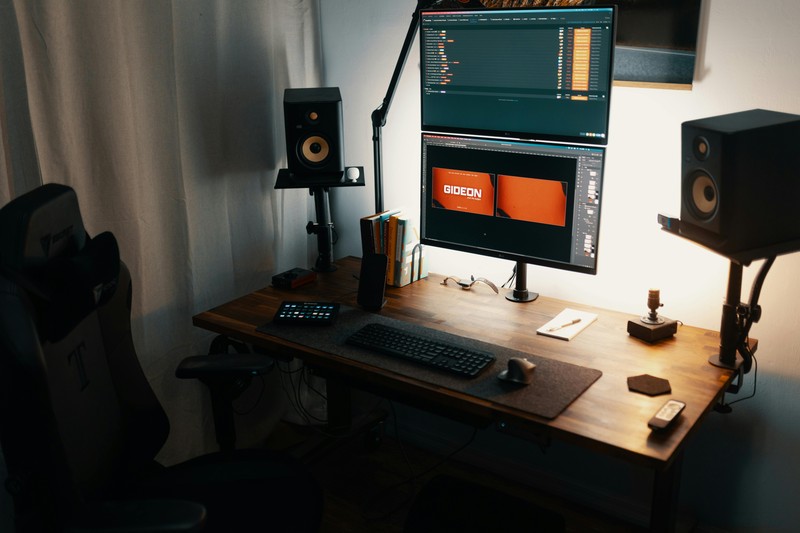
Most standing desks are terrible for 3D printing. They wobble. The crossbars hit your legs. The motors introduce micro-vibrations that mess with surface quality. The Flexispot E7 Pro is different. It tackles the wobble problem with a T-frame design and a crossbar that stays out of the way.
Frame stiffness is the key here. The E7 Pro uses dual motors and a central beam that keeps the desk stable even at standing height. For tall printers like an Ender 3 S1 or a Bambu Lab X1C with an enclosure, that stability matters when the gantry moves fast. I tested this desk with a Prusa MK4 running standard profiles. No standing-desk wobble artifacts showed up.
A simple trick that makes this setup work even better: put a concrete paving stone on top of the desk under the printer. The stone adds mass and dampens high-frequency vibration. Throw a rubber mat underneath, and you have a standing desk that rivals a workbench in stability.
This is the best desk for 3d printer users who also do modeling work, design, or need to switch between sitting and standing. If your printer runs overnight and you want to stand and inspect layers during the day, this is the right pick.
3. The Best Utility Table for Small Spaces: Husky 4-Foot Workbench
Not everyone has room for a massive workbench or wants to spend a lot on a desk. The Husky 4-Foot Workbench hits the sweet spot between stability, size, and price. It’s sold at most home improvement stores, and it’s a common choice in the 3D printing community for good reason.
The frame is all steel with a weight capacity over 1,000 pounds. The adjustable feet let you level the desk on uneven floors, which is a huge advantage in basements, garages, or older homes. The wood laminate top is flat and easy to clean. Filament dust and stray plastic wipe right off.
The footprint is small enough to fit in a corner or against a wall in an apartment. Yet it’s sturdy enough for a single high-speed printer like a Bambu Lab A1 Mini or a Creality K1. You can add an enclosure on top without worrying about the desk flexing. Beginners might want to pair it with a 3d printer enclosure for temperature stability.
This is a solid choice for a first real printer desk. It’s cheap enough that you won’t hesitate to add mods. Drill holes for cable management. Screw in a spool holder. Paint it. It handles abuse well.
4. The Best Desk for Enclosures and Large Build Volumes: Vivo 36-Inch Desk Converter
If you run an enclosed printer like a Bambu Lab X1C or a Voron 0.2, you need a desk that gives you clearance and airflow. A desk that forces the enclosure to hang over the edge will trap heat and mess with temperature stability.
The Vivo 36-inch desk converter or a similar adjustable-height worktable works well here. Its desktop is spacious enough for a full-size enclosure with room to spare for a Filament Dryer and a tool drawer. The lower shelf is perfect for storing spools in airtight containers. You can place a dehumidifier underneath.
Key spec to check: depth. A Voron Trident or a Rat Rig V-Core 3 has a wider footprint than a typical printer. Make sure the desk depth exceeds 24 inches. Vivo-style desks usually hit 30 inches, which is enough for most setups. For keeping filament dry, consider a filament dryer that fits on the lower shelf.
This isn’t the cheapest option, but it solves the specific problem of housing an enclosed printer. If you print in ABS or ASA and need stable temperatures, this desk prevents heat from being trapped under the desk surface.
Comparing the Top Picks: Stability, Storage, and Value
Let’s put the main recommendations side by side so you can decide based on your situation.
Seville Classics UltraHD Workbench
Max weight capacity: 2,000+ lbs
Wobble factor: Essentially zero
Top material: Solid wood
Storage options: Drawers, power strip, lower shelf
Price range: $$$ (mid-to-high)
Best for: Print farms, multiple printers, heavy-duty use
Flexispot E7 Pro
Max weight capacity: 400 lbs (standing desk limit)
Wobble factor: Low at standing height, very low at sitting
Top material: Available in laminate, bamboo, or solid wood
Storage options: None built-in, but compatible with desk drawers
Price range: $$ (mid-range)
Best for: Mixed use (printing + design work), adjustable height
Husky 4-Foot Workbench
Max weight capacity: 1,000+ lbs
Wobble factor: Very low
Top material: Laminate over particleboard
Storage options: Lower shelf only
Price range: $ (budget-friendly)
Best for: Beginners, small spaces, single printers
The key difference is flexibility versus raw stability. If you only plan to print and never need to stand while modeling, the Husky or Seville gives you more stability per dollar. If your desk doubles as a workspace, the Flexispot wins.. For more on this, see our guide on Quiet Fan Upgrades: How to Make Your 3D Printer Silent.
Custom Mods: Cheap Upgrades to Make Any Desk More 3D Printer Ready
You don’t always need a brand-new desk if your current setup is almost good enough. A few inexpensive modifications can turn a wobbly table into a reliable printer base.
Add a concrete paving stone. Place a 16×16-inch paving stone directly under your printer. The added mass absorbs vibration that otherwise travels through the desk. Put a rubber mat between the stone and the desk to decouple the noise. You can find both at a hardware store for under $10 total. For those who prefer a pre-made solution, 3d printer vibration pads are also available.
Use rubber mats. Horse stall mats from a farm supply store are thick, heavy, and cheap. Cut a piece to fit under the printer. They stop the desk from vibrating and reduce noise transmitted to the floor.
Install a shelf above the printer. A simple wall-mounted shelf above the desk holds filament spools and keeps the path straight. This reduces tangles and prevents the filament from dragging across the desk.
Anti-vibration pads. Place small silicone or rubber pads under the printer feet, not the desk legs. This isolates the printer frame from the desk. Some printers come with these, but cheap aftermarket pads work fine.
These mods cost less than a new desk and can salvage a setup that’s mostly stable but has minor wobble issues. Try them before buying a replacement.
Mistakes to Avoid When Choosing a Desk for Your 3D Printer
Here are a few common errors that cause unnecessary printer headaches.
Underestimating weight. A printer by itself weighs 15–30 pounds. Add a glass bed mod, an enclosure, filament, tools, and storage bins, and that desk is holding 80–100 pounds. Beginners often ignore this and buy a lightweight desk that sags within a month.
Flimsy crossbars. Some desks have crossbars that block leg room. You end up sitting sideways, which isn’t comfortable for long modeling sessions. Check the crossbar position before buying.
Not factoring in depth. A Voron or a CR-30 belt printer needs extra depth. A desk that fits an Ender 3 might not fit a wider machine. Measure your printer plus enclosure before ordering.
Buying a desk too tall. A standing desk that can only go to 30 inches is fine for standing, but if you want to sit and monitor prints, you need adjustability or a lower fixed height. Check the height range against your chair.
Ignoring the filament path. If the filament spool sits behind the printer and the desk is flush against a wall, the filament will rub and cause inconsistent extrusion. Keep clearance for the spool’s rotation. A filament spool holder can help maintain a clear path.
Avoid these, and you’ll buy a desk that works from day one.
Quick Checks: Is Your Current Desk Good Enough?
Before spending money, test your existing setup. Three simple checks will tell you if your desk is causing problems.
The hand-push test. While the printer is running, push the desk gently at the top edge. Does it sway? If yes, the desk is transferring motion to the print. A rigid desk shouldn’t move.
The spinning test. Watch the printer during rapid travel moves, like a diagonal move across the bed. If the printer body visibly wobbles, the desk isn’t absorbing the inertia. This shows up as ringing on printed edges.
The resonance test. Some printers hum at certain speeds. If the desk hums or buzzes along with the printer, you have a resonance problem. It won’t ruin every print, but it will affect surface quality on intricate parts.
If your desk fails any of these tests, it’s worth upgrading to one of the options above. If it passes, you can keep using it and focus on other improvements.
Final Verdict: Which Desk Should You Buy?
There’s no single best desk for 3d printer for every setup. Your choice depends on space, budget, and how many printers you run.
If you want maximum stability and plan to run multiple printers or heavy resin machines, buy the Seville Classics UltraHD Workbench. It’s the gold standard for eliminating desk-related print failures.
If you need a standing desk that also works for modeling and design, go with the Flexispot E7 Pro. Pair it with a concrete paving stone, and you get the best of both worlds.
If you’re on a budget or working in a small space, the Husky 4-Foot Workbench is the smart choice. It’s stable, cheap, and easy to modify.
Stop fighting with printer movement and inconsistent first layers. Pick one from this list, set it up, and get back to printing what you actually want to make. Your prints will come out cleaner, and you’ll spend less time troubleshooting.
Here’s the thing: the best 3D modeling software is the one you actually use. Pick one from this list, spend an hour with a tutorial, and make something. You’ll learn more from that than from reading ten more comparison articles.. For more on this, see our guide on Best 3D Printer Enclosures for Temperature Control and Safety.
filament path. If the filament
Printing: Flexispot E7 Pro Most standing desks are terrible for 3D printing