Overture Pla Review — Best Budget Filament?
In the vast and ever-growing world of 3D printing, filament choice can make or break your printing experience. From high-end engineering materials to everyday workhorses, there’s a filament for every project and budget. Today, we’re diving deep into one of the most popular and budget-friendly options on the market: Overture PLA. Is it truly the best budget filament for your 3D printer? We’ve put it through its paces to give you an honest and comprehensive Overture PLA filament review, covering everything from unboxing to final print quality. Check out our best 3D printers guide.
What is Overture PLA?
Overture is a brand that has quickly gained traction among 3D printing enthusiasts for its affordable yet reliable filaments. Their standard PLA (Polylactic Acid) offering is a thermoplastic polymer derived from renewable resources like corn starch. PLA is renowned for being one of the easiest materials to print with, making it a favorite for beginners and seasoned makers alike. It requires lower printing temperatures, has minimal warping, and produces no strong odors, making it ideal for home use. Overture aims to deliver this user-friendly experience at a price point that’s hard to beat.
First Impressions: Unboxing and Spool Quality
The journey with Overture PLA begins with its packaging. Each spool arrives in a sturdy cardboard box, vacuum-sealed with a desiccant pack to ensure the filament is dry and ready to print. This attention to moisture control is crucial for good print quality and often overlooked in budget brands, so it’s a welcome sight. The spool itself is well-wound, with minimal tangles or overlaps, a common pitfall for cheaper filaments. A consistent wind is key to preventing snags and failed prints, so Overture gets high marks here. The material feels consistent to the touch, and the colors (we tested several, including black, white, and a vibrant blue) appear rich and true.
Print Quality and Performance
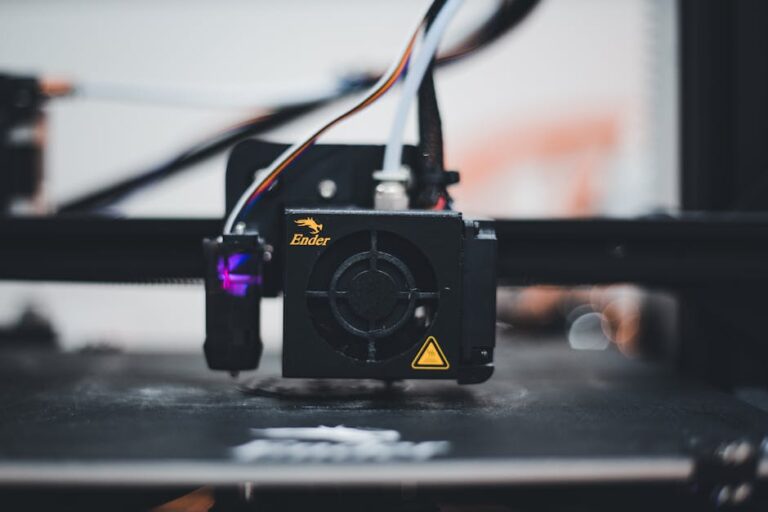
Now for the main event: how does it print? We ran Overture PLA through a variety of tests on different machines, including popular models like the Bambu Lab A1 and Creality Ender 3 V3, to get a broad perspective.
Ease of Use and Bed Adhesion
One of PLA’s biggest advantages is its forgiving nature, and Overture PLA lives up to this. We found optimal printing temperatures to be around 200-220°C for the hot end and 50-60°C for the print bed. These are standard PLA settings, meaning you likely won’t need to tweak your printer extensively. Bed adhesion was consistently excellent on a variety of surfaces, including PEI, glass, and build plates with glue stick. This translates to fewer failed first layers and a more reliable printing experience, especially important for beginners.
Layer Adhesion and Strength
Good layer adhesion is vital for strong, durable prints. Overture PLA performed admirably in this regard, with layers bonding together securely. Test prints, including stress-test models and functional parts, exhibited decent strength for general-purpose applications. While it won’t replace materials like PETG filament or ABS for high-stress components, it’s perfectly adequate for prototypes, decorative items, and everyday parts.
Detail Resolution and Surface Finish
The detail resolution with Overture PLA was surprisingly good for a budget filament. Fine features, small text, and intricate geometries came out crisp and well-defined. The surface finish tended to be matte to semi-glossy, depending on the color and print settings, which gives prints a clean, professional look. We observed minimal stringing and blobs after slight retraction tuning, suggesting good material consistency and flow characteristics.
Consistency and Diameter Tolerance
Filament diameter consistency is paramount for consistent extrusion and print quality. We measured Overture PLA at various points along the spool and found it to be consistently within its advertised 1.75mm ±0.03mm tolerance. This consistency helps prevent under or over-extrusion, contributing to reliable print outcomes and fewer headaches during long prints.
Color Options and Aesthetics
Overture offers a decent range of colors, from basic black and white to more vibrant blues, reds, and greens. While not as extensive as some premium brands, the available palette covers most common needs. The colors are generally vibrant and opaque, providing good visual appeal for your prints. We didn’t notice any significant color fading or inconsistency within a single spool.
Value for Money: Is it the Best Budget Filament?
This is where Overture PLA truly shines. Priced significantly lower than many premium brands, it offers performance that often punches above its weight. For hobbyists, students, and those who go through a lot of filament, the cost savings are substantial without a drastic compromise in quality. When comparing it to other budget options, Overture frequently comes out ahead in terms of spool winding, packaging, and overall print reliability. While Hatchbox PLA is another popular and reliable choice in a similar category, Overture often edges it out on price per kilogram while delivering comparable results, especially after some minor print profile optimization.
Potential Downsides
No filament is perfect, and Overture PLA has a few minor considerations. Like most PLA, it can be prone to becoming brittle if exposed to humidity for extended periods, reinforcing the importance of its sealed packaging and proper storage after opening. We occasionally observed very minor inconsistencies in surface finish on large, flat areas compared to much more expensive, specialized PLAs, but these were negligible for most applications. For advanced users seeking extreme strength or exotic finishes, a premium filament might be a better fit, but for 95% of PLA projects, Overture is more than sufficient.
Who is Overture PLA For?
Overture PLA is an excellent choice for a wide range of 3D printing users:
- Beginners: Its ease of use, reliable bed adhesion, and consistent printing make it an ideal starting point.
- Hobbyists: Perfect for everyday prints, prototyping, models, and parts where cost-effectiveness is a key factor.
- Educators: A great option for schools and workshops due to its affordability and user-friendliness.
- Anyone on a Budget: If you’re looking to minimize material costs without sacrificing acceptable print quality, Overture PLA is a top contender.
Tips for Printing with Overture PLA
- Storage: Always store your filament in a dry, airtight container with desiccant to prevent moisture absorption.
- Temperature Tuning: While our recommended settings are a good starting point (200-220°C hot end, 50-60°C bed), a temperature tower can help you dial in the perfect settings for your specific printer.
- Retraction: Experiment with retraction settings (distance and speed) to minimize stringing, especially with more intricate models.
- Clean Your Bed: A clean print bed is crucial for good adhesion. Wipe it down with isopropyl alcohol before each print.
Conclusion: The Smart Choice for Your Wallet and Your Printer
After extensive testing, our Overture PLA filament review concludes that it is undeniably one of the best budget filaments available today. It delivers consistent performance, reliable print quality, and excellent value for money. While it might not have the exotic properties or ultra-premium finish of some specialized filaments, for general-purpose 3D printing, prototyping, and everyday creations, Overture PLA is a truly fantastic option that won’t break the bank. It consistently proves that you don’t have to sacrifice quality for affordability. If you’re looking for a dependable and inexpensive PLA, Overture is a smart investment.
Ready to upgrade your filament stock or looking for a new printer to pair with this great filament? Explore our top recommended 3D printer picks and find the perfect machine for your needs. Head over to our best 3D printers guide to find your next printing powerhouse!
Ready to find your perfect 3D printer? Browse our complete guide to the best 3D printers — updated right now with expert picks at every budget.
Shop top-rated 3D printers on Amazon: Bambu Lab A1 | Creality Ender 3 | Prusa MK4