Best Flexible Tpu Filament for 3d Printing
Ever wanted to 3D print something that bends, squishes, or absorbs impact? If you’ve primarily worked with rigid filaments like PLA or PETG, then it’s time to dive into the exciting world of flexible filaments, specifically Thermoplastic Polyurethane, or TPU. TPU opens up a whole new realm of possibilities, allowing you to create durable, functional parts that can withstand wear and tear, making it an invaluable material for engineers, hobbyists, and makers alike. But with so many options out there, how do you find the best TPU filament for 3D printing? This guide will help you navigate the choices, understand what makes a good TPU, and recommend some top brands to get you started. Check out our best 3D printers guide.
What Exactly is TPU Filament?
TPU is a type of thermoplastic elastomer (TPE), a broad class of plastics that possess both thermoplastic and elastomeric properties. In simpler terms, it’s a plastic that behaves like rubber! Unlike traditional rubber, however, it can be melted and reformed, making it perfect for 3D printing. TPU is known for its high elasticity, excellent abrasion resistance, and durability. It can be stretched significantly and return to its original shape without permanent deformation.
Compared to other common filaments:
- PLA (Polylactic Acid): Rigid, biodegradable, easy to print but brittle.
- PETG (Polyethylene Terephthalate Glycol): Stronger and more flexible than PLA, but still rigid compared to TPU. Good for functional parts but lacks true elasticity.
- ABS (Acrylonitrile Butadiene Styrene): Strong, durable, but prone to warping and fumes. Rigid.
TPU stands apart with its unique combination of flexibility and strength, making it ideal for applications where parts need to absorb shock, bend, or offer a tactile, rubber-like feel.
Why Choose TPU for Your 3D Prints?
The advantages of TPU filament are numerous, making it a go-to choice for a specific range of applications:
- Exceptional Flexibility: The most obvious benefit. TPU can be soft and squishy or semi-rigid, depending on its Shore hardness. This allows for parts that can bend, twist, and flex without breaking.
- High Durability and Wear Resistance: TPU is incredibly tough. It resists abrasion, impact, and tearing better than most other filaments, making it perfect for parts subjected to repeated stress or friction.
- Shock Absorption: Its rubber-like properties make it an excellent material for dampeners, protective cases, and components that need to absorb impact energy.
- Chemical Resistance: TPU often exhibits good resistance to oils, greases, and many solvents, expanding its utility in various environments.
- Good Layer Adhesion: When printed correctly, TPU typically shows excellent layer adhesion, resulting in strong, unified prints.
Navigating the Challenges of Printing with TPU
While the benefits are clear, printing with TPU isn’t always as straightforward as printing with PLA. Its flexibility, which is its greatest strength, can also be its biggest challenge:
- Stringing and Oozing: TPU tends to be sticky and stretchy, leading to stringing and oozing issues if retraction and print speed aren’t dialed in correctly.
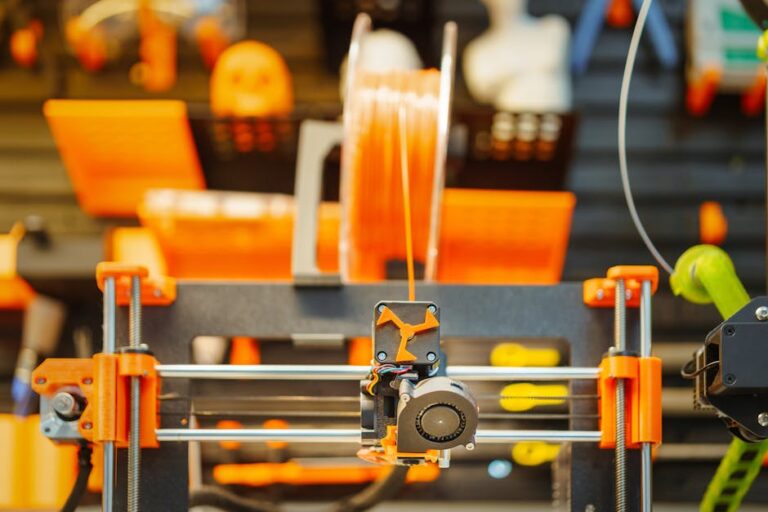
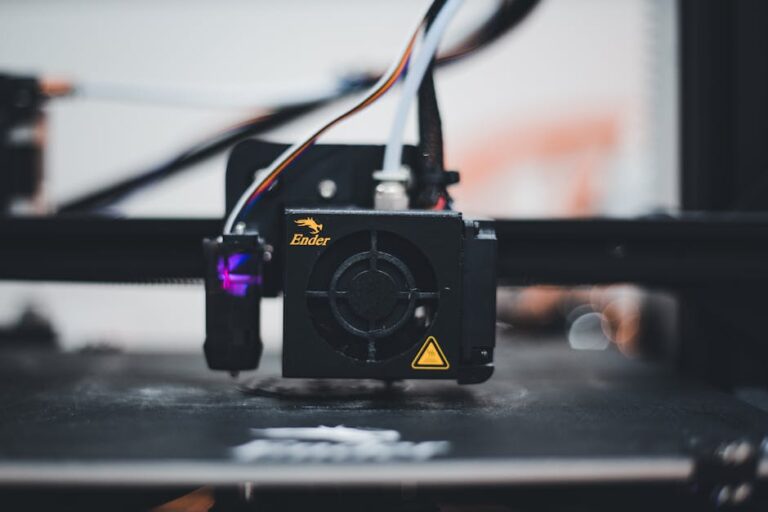
- Extrusion Issues: Flexible filaments can buckle and jam in bowden-style extruders, particularly if the path from the drive gear to the hotend isn’t fully constrained. Direct drive extruders are generally preferred for TPU.
- Slow Print Speeds: To minimize issues, TPU often needs to be printed at much slower speeds than rigid filaments.
- Moisture Absorption: TPU is hygroscopic, meaning it readily absorbs moisture from the air. Moist filament can lead to bubbles, poor layer adhesion, and weaker prints, so proper storage and drying are crucial.
Key Factors When Choosing the Best TPU Filament
When you’re ready to buy, here’s what to consider to pick the best TPU filament for 3D printing:
Shore Hardness
This is arguably the most critical factor. Shore hardness is a measure of a material’s resistance to indentation. For TPU, you’ll typically see Shore A or Shore D values. A lower number (e.g., Shore 85A) indicates a softer, more flexible material, while a higher number (e.g., Shore 95A or 60D) means it’s stiffer and less flexible. For most general-purpose flexible prints, a Shore 95A is a great starting point, offering a good balance of flexibility and printability. If you need something very soft, look for 85A or lower.
Filament Diameter Consistency
Like any filament, consistent diameter is vital for reliable extrusion and print quality. Look for brands with tight tolerances (e.g., +/- 0.02mm) to avoid under-extrusion or over-extrusion.
Brand Reputation and Reviews
Especially for flexible filaments, brand consistency matters. Reputable brands often invest in better manufacturing processes, leading to more reliable filament. Check user reviews for feedback on printability, flexibility, and common issues.
Color Options
While not affecting performance, a wide range of color options allows for more aesthetically pleasing and diverse projects.
Top Picks for the Best TPU Filament for 3D Printing
Based on printability, reliability, and community feedback, here are some of our top recommendations:
Overture TPU
Overture is a well-regarded brand known for its consistent quality and affordability. Their Overture TPU filament typically comes in a Shore 95A hardness, which is a fantastic starting point for beginners. It offers a good balance of flexibility for functional prints like phone cases and drone parts, while still being relatively easy to print compared to super-soft TPUs. It often adheres well to print beds and has manageable stringing with proper settings.
eSUN eTPU-95A
eSUN is another popular filament manufacturer, and their eTPU-95A is a strong contender. Similar to Overture, it offers a Shore 95A hardness, providing excellent elasticity and durability. Users often praise eSUN for its vibrant colors and good dimensional accuracy. It’s a reliable choice for a wide range of flexible applications and is often available at competitive prices.
SainSmart TPU
SainSmart offers a variety of TPU filaments, often with a slightly softer Shore 95A or even 90A. Their filament is known for its excellent flexibility and resistance to kinking in the extruder path, which can be a common issue with softer TPUs. It’s a solid option if you’re looking for something that’s a bit more pliable than some other 95A options but still manageable for most our top recommended 3D printer picks with a direct drive setup.
NinjaFlex and SemiFlex (by Fenner Drives)
If you’re looking for the absolute softest and most flexible prints, NinjaFlex and SemiFlex are premium choices. NinjaFlex (Shore 85A) is incredibly pliable, feeling almost like rubber bands, making it perfect for highly deformable parts. SemiFlex (Shore 98A) offers a slightly stiffer yet still very flexible alternative. While these are often more expensive and can be trickier to print due to their extreme flexibility, they deliver unparalleled results for specific applications requiring maximum elasticity. For the ultimate in flexibility, explore NinjaFlex and similar premium TPUs.
Tips for Successful TPU Printing
To get the best results with your chosen TPU filament:
- Dry Your Filament: This cannot be stressed enough. TPU is highly hygroscopic. Always store it in a dry box with desiccant and consider drying it in a filament dryer before printing, especially if it’s been exposed to humidity.
- Print Slowly: Reduce your print speed significantly (e.g., 20-40mm/s). This gives the extruder more time to push the flexible material without buckling.
- Minimize Retraction: TPU loves to string. Start with very low retraction settings (e.g., 0.5-1mm at 20-30mm/s for direct drive) or even turn it off entirely for oozing control.
- Optimize Temperature: Print at the higher end of the manufacturer’s recommended temperature range for better layer adhesion and flow (e.g., 220-230°C).
- Ensure Good Bed Adhesion: A heated bed (e.g., 40-60°C) with a glue stick, hairspray, or PEI sheet usually works well.
- Direct Drive Extruder is King: While some Bowden setups can manage TPU, a direct drive extruder minimizes the unconstrained path of the filament, drastically improving success rates. If your printer has a Bowden setup, ensure the path is as short and constrained as possible.
Unleash Your Creativity with TPU
From phone cases and drone bumpers to custom gaskets, flexible RC tires, and even wearable components, the applications for TPU are diverse and exciting. Once you master the nuances of printing with this unique material, you’ll open up a world of functional and durable 3D prints that simply aren’t possible with rigid filaments.
Experiment with different brands, dial in your settings, and don’t be afraid to try out different Shore hardnesses to find the perfect flexibility for your project. The best TPU filament for 3D printing is ultimately the one that meets your specific needs and prints reliably on your machine. Ready to start printing? Visit 3dshopper.com to find the perfect TPU filament for your next flexible creation!
Ready to find your perfect 3D printer? Browse our complete guide to the best 3D printers — updated right now with expert picks at every budget.
Shop top-rated 3D printers on Amazon: Bambu Lab A1 | Creality Ender 3 | Prusa MK4