Complete 3d Printing Starter Kit — Everything You Need
So, you’ve been bitten by the 3D printing bug! Maybe you’ve seen incredible prints online, dreamt of bringing your own designs to life, or just love the idea of on-demand manufacturing right in your home. Whatever your inspiration, diving into the world of 3D printing can feel a bit overwhelming at first. Many people make the mistake of buying just a printer and quickly realize they’re missing crucial components. That’s why we’ve put together this ultimate guide to building a truly complete 3D printing starter kit – everything you need to go from unboxing to your first successful print and beyond. Check out our best 3D printers guide.
Why a “Complete” Starter Kit?
Imagine buying a car without gas, oil, or even a driver’s license. That’s often what it feels like when new hobbyists purchase only a 3D printer. While the printer is undeniably the star of the show, it’s just one part of a larger ecosystem. To truly succeed and enjoy the hobby, you’ll need the right materials, tools for maintenance and post-processing, and a good understanding of the software. A complete kit ensures you minimize frustration, maximize your learning, and get the most out of your investment from day one.
The Core: Your First 3D Printer
This is where the magic happens! There are two main types of consumer-grade 3D printers you’ll likely encounter:
FDM Printers (Filament Deposition Modeling)
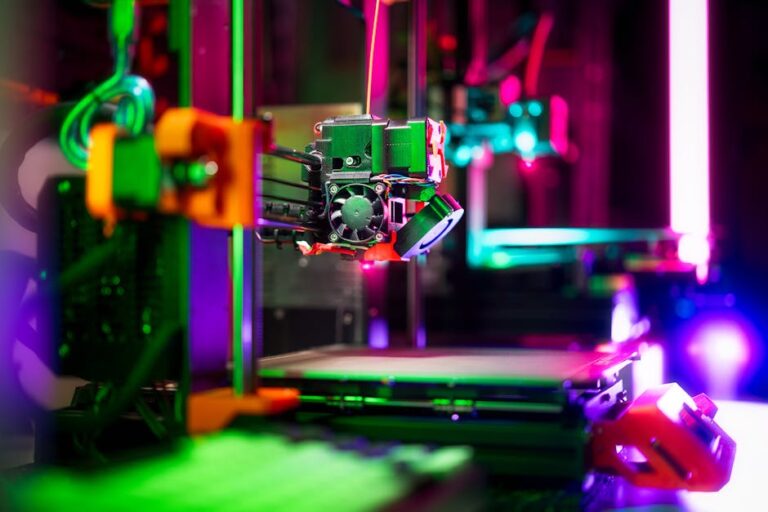
FDM printers work by melting a plastic filament and extruding it layer by layer onto a print bed. They are the most common type for beginners due to their relative affordability, ease of use, and versatility. They’re great for functional parts, prototypes, and larger models.
- Pros: Generally less expensive, wide range of materials, larger build volumes, less post-processing mess.
- Cons: Visible layer lines, less fine detail than resin printers.
For a fantastic entry point into FDM printing, consider models like the Bambu Lab A1. It’s known for its ease of use, speed, and quality, making it an excellent choice for beginners who want reliability and performance. Another popular choice for its customizability and robust community is the Creality Ender-3 V3 series, offering great value.
Resin Printers (SLA/DLP/LCD)
Resin printers use a liquid resin that is cured by UV light, creating incredibly detailed and smooth objects. They are ideal for miniatures, jewelry, artistic models, and parts where intricate detail is paramount.
- Pros: Superb detail, smooth surface finish, fast print times for multiple small objects.
- Cons: Messier post-processing, requires more safety precautions (gloves, ventilation), smaller build volumes, resin can be more expensive.
A great option for starting with resin printing is the Elegoo Mars 4 or similar models. They offer a fantastic balance of price, performance, and user-friendliness for those ready to tackle the specifics of resin printing.
Essential Filaments & Resins
Your printer is useless without something to print with! Choosing the right material is crucial for successful prints.
For FDM Printers
- PLA (Polylactic Acid): The undisputed king for beginners. PLA is easy to print, biodegradable, and comes in a vast array of colors. It’s perfect for learning the ropes and printing most general-purpose models. We recommend starting with a quality brand like Overture PLA or Hatchbox PLA.
- PETG (Polyethylene Terephthalate Glycol): A step up from PLA, PETG offers more durability, temperature resistance, and flexibility, making it great for functional parts.
- TPU (Thermoplastic Polyurethane): For flexible prints like phone cases, gaskets, or wearable items. It’s trickier to print but opens up a world of possibilities.
For Resin Printers
- Standard UV Resin: These are the most common and affordable resins. They come in various colors and are excellent for highly detailed models. Always handle resin with gloves and in a well-ventilated area.
The Indispensable Tool Kit
Even the best printer needs a little help from time to time. A good set of tools will save you headaches and improve your print quality.
For Printer Maintenance & Setup
- Side Cutters/Flush Cutters: Essential for cleanly snipping filament, trimming supports, and tidying up prints.
- Spatula/Scraper: To safely remove prints from the build plate without damaging the bed or the print.
- Pliers & Tweezers: For gripping small parts, removing stubborn supports, or clearing filament jams.
- Allen Wrenches/Hex Keys: For tightening screws, assembling parts, and general maintenance.
- Nozzle Cleaning Needles: For clearing minor clogs in your FDM printer’s nozzle.
- Brass Brush: To clean your FDM print bed and hotend.
- Digital Calipers: For precise measurements of your prints and for calibrating your printer.
- Safety Glasses & Nitrile Gloves: Absolutely crucial, especially when working with resin or hot FDM parts.
For Post-Processing
- Deburring Tool or X-Acto Knife: For meticulously cleaning up support marks and smoothing edges.
- Sandpaper Set: Various grits for smoothing surfaces, especially important for resin prints or if you plan to paint your FDM models.
- Isopropyl Alcohol (IPA): Essential for cleaning resin prints and occasionally for FDM build plates.
- UV Curing Station (for resin printers): A dedicated station to fully cure your resin prints, making them strong and non-tacky.
Software & Resources
Your printer needs instructions, and you’ll need a community to learn from.
Slicing Software
This is the brain of your 3D printing operation. Slicers convert your 3D model (STL, OBJ, etc.) into G-code, which tells your printer exactly how to move and where to extrude material.
- Cura: A popular, free, and open-source slicer. It’s robust, user-friendly, and has a vast community. Many beginners start here.
- PrusaSlicer / Orca Slicer: Excellent alternatives offering advanced features and often pre-configured profiles for specific printers.
Understanding your slicer is key. You can find many guides online to help you master it, including specific walkthroughs for popular programs.
Design Software (Optional but Recommended)
While you can download thousands of free models, creating your own is incredibly rewarding.
- Tinkercad: Web-based, super easy for beginners, great for simple geometric designs.
- Fusion 360: More professional CAD software, with a free personal-use license. Steeper learning curve but immensely powerful.
Online Communities & Learning
The 3D printing community is incredibly supportive! Websites like Thingiverse, Printables, and MyMiniFactory offer millions of free models. Reddit communities like r/3Dprinting are invaluable for troubleshooting and inspiration. And for guidance on selecting the best machine for your needs, be sure to check out our top recommended 3D printer picks.
Workspace Considerations
Finally, think about where your new hobby will live:
- Ventilation: Absolutely critical, especially for resin printers which emit fumes, but also beneficial for FDM.
- Dedicated Space: A stable, flat surface away from high traffic areas is ideal.
- Storage: Keep filaments in a dry place to prevent moisture absorption, and resin bottles safely stored.
starting on your 3D printing journey with a truly complete 3d printing starter kit will set you up for success, minimize frustration, and unlock endless creative possibilities. By investing in the right printer, materials, tools, and knowledge, you’re not just buying a gadget; you’re gaining a new skill and a powerful creative outlet. Ready to dive in? Visit 3dshopper.com to find the best deals on all these essential components and kickstart your adventure today!
Ready to find your perfect 3D printer? Browse our complete guide to the best 3D printers — updated right now with expert picks at every budget.
Shop top-rated 3D printers on Amazon: Bambu Lab A1 | Creality Ender 3 | Prusa MK4