Best 3d Printer Upgrades Worth Buying
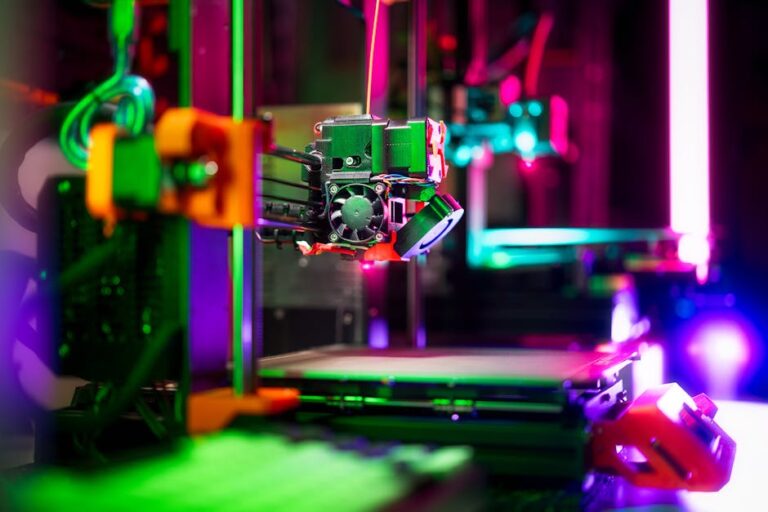
So, you’ve invested in a 3D printer – perhaps one of the fantastic entry-level models or a more advanced machine – and you’ve been churning out prints with joy. But like any hobby, there’s always room for improvement, refinement, and unlocking new capabilities. Whether you’re aiming for faster prints, higher quality, more exotic materials, or just a smoother overall experience, a well-chosen upgrade can transform your 3D printing journey. Not all upgrades are created equal, though. Some are critical tools, while others might be a waste of your hard-earned cash. We’re here to help you navigate the options and highlight the best 3D printer upgrades worth buying. Check out our best 3D printers guide.
Why Invest in 3D Printer Upgrades?
Upgrading your 3D printer isn’t just about spending more money; it’s about optimizing your machine for your specific needs and expanding its potential. A good upgrade can lead to:
- Improved Print Quality: Smoother surfaces, better dimensional accuracy, and fewer artifacts.
- Increased Reliability: Fewer failed prints, less bed leveling, and more consistent results.
- Expanded Material Compatibility: Print with filaments you couldn’t before, like flexibles or high-temperature engineering plastics.
- Faster Print Speeds: Reduce print times without sacrificing quality.
- Enhanced User Experience: Quieter operation, easier bed adhesion, and less manual intervention.
Ready to supercharge your setup? Let’s dive into the upgrades that truly make a difference.
Core Upgrades for Enhanced Performance and Reliability
Improved Build Surface
One of the most common frustrations for 3D printer users, especially beginners, is bed adhesion. The stock build surface on many printers can be inconsistent or prone to wear. Upgrading your build surface is a relatively inexpensive way to dramatically improve your print success rate.
- Glass Beds: Offer a perfectly flat surface, excellent adhesion with a bit of glue stick or hairspray, and a beautifully smooth bottom layer finish. They are also very durable and easy to clean.
- PEI Sheets (Powder-Coated or Smooth): These are often considered the gold standard. PEI (Polyetherimide) offers fantastic adhesion when heated and often releases prints easily once cooled, sometimes even “popping” off on their own. Powder-coated PEI gives a textured finish, while smooth PEI provides a glassy look. Flexible magnetic PEI sheets are particularly popular, allowing you to simply bend the plate to remove prints.
Why it’s worth it: Fewer failed prints due to poor adhesion, easier print removal, and better first layer quality. It saves you time and filament in the long run.
Flexible PEI Build Plate
Auto Bed Leveling (ABL) Sensor
Manual bed leveling is a ritual that can be tedious and, if not done perfectly, lead to print failures. An ABL sensor like the BLTouch or CR-Touch automates this process by probing multiple points across your print surface, creating a mesh to compensate for any unevenness. This means your first layer will be consistent, even if your bed isn’t perfectly flat.
Why it’s worth it: Significantly reduces the frustration of manual leveling, virtually eliminates first layer issues, and leads to a much higher print success rate. It’s a true set-it-and-forget-it upgrade.
Creality CR-Touch Auto Leveling Sensor
All-Metal Hotend
The hotend is where your filament melts. Many stock hotends use a PTFE tube that runs all the way down to the nozzle, which works well for lower-temperature filaments like PLA and PETG. However, PTFE starts to degrade at around 240-250°C, releasing harmful fumes and causing clogs. An all-metal hotend eliminates the PTFE tube in the melt zone, replacing it with a metal heat break.
Why it’s worth it: Allows you to safely and reliably print higher-temperature materials like ABS, ASA, Nylon, and Polycarbonate without worrying about PTFE degradation. It also often provides better thermal stability and reduces clogging issues with certain filaments.
Hardened Steel or Specialty Nozzles
Your printer likely came with a brass nozzle, which is great for common filaments like PLA and PETG. However, if you venture into abrasive materials like carbon fiber-filled, glass fiber-filled, or glow-in-the-dark filaments, a brass nozzle will wear out very quickly, affecting print quality. Hardened steel, tool steel, or ruby-tipped nozzles offer much greater wear resistance.
Why it’s worth it: Essential for printing abrasive filaments without constant nozzle changes. Different nozzle sizes (e.g., 0.2mm for fine detail, 0.6mm for faster, stronger prints) also allow for more versatility in your printing projects.
Unlocking New Capabilities and Quality of Life
Direct Drive Extruder
Most entry-level printers use a Bowden setup, where the extruder motor pushes filament through a long PTFE tube to the hotend. A direct drive extruder mounts the extruder motor directly above the hotend, minimizing the distance the filament has to travel.
Why it’s worth it: Dramatically improves the ability to print flexible filaments like TPU, as the shorter path prevents buckling. It also offers better retraction control, leading to less stringing and oozing, and more consistent extrusion, which can improve print quality overall.
Creality Direct Drive Extruder Kit
Klipper Firmware & Input Shaping
Klipper is a powerful, open-source firmware that offloads processing from your printer’s mainboard to a Raspberry Pi (or similar single-board computer). This allows for much faster calculations, leading to higher print speeds, smoother motion, and advanced features like Input Shaping.
Why it’s worth it: Klipper unlocks incredible speed potential without sacrificing print quality. Input Shaping, in particular, compensates for printer resonances, virtually eliminating “ghosting” or “ringing” artifacts at high speeds. It’s a more involved upgrade but offers a huge performance boost for enthusiasts.
Filament Dryer
Many filaments, especially PETG, Nylon, and PVA, are hygroscopic, meaning they absorb moisture from the air. Moist filament leads to poor print quality, including stringing, bubbles, weak layers, and inconsistent extrusion. A filament dryer slowly bakes the moisture out of your spools.
Why it’s worth it: Ensures optimal print quality, especially with moisture-sensitive filaments. It can salvage old, damp filament and helps maintain the quality of new spools, saving you money and frustration.
Sunlu Filament Dryer S2
Enclosure
An enclosure is a sealed box that surrounds your 3D printer. It helps maintain a stable ambient temperature around your print, which is crucial for materials like ABS, ASA, and Nylon that are prone to warping and cracking due to temperature fluctuations. It also helps contain fumes and can reduce noise.
Why it’s worth it: Essential for successfully printing engineering-grade filaments, improves safety by containing fumes, and can make your printing setup quieter and cleaner.
Silent Stepper Drivers
If the whirring and grinding of your 3D printer are driving you crazy, silent stepper drivers are your salvation. These drivers smooth out the current to the stepper motors, significantly reducing the noise they produce during movement. Many newer printers come with them, but older models can benefit greatly.
Why it’s worth it: Transforms your noisy printer into a much quieter machine, making it more pleasant to have in a living space or office.
Before You Buy: Key Considerations
While these upgrades can be fantastic, always consider a few things before pulling the trigger:
- Compatibility: Not all upgrades work with every printer. Always check compatibility with your specific model.
- Your Skill Level: Some upgrades (like Klipper) require more technical know-how than others. Be honest about your comfort level with disassembling your printer or flashing firmware.
- Cost vs. Benefit: Is the upgrade truly going to address a pain point or unlock a capability you genuinely need? Sometimes, investing in a newer, better printer might be more cost-effective than upgrading an old one piece by piece. If you’re still looking for your first machine or considering an entirely new one, check out our top recommended 3D printer picks to start strong.
- Research: Always watch installation videos, read reviews, and check forums for advice on the specific upgrade you’re considering for your printer model.
Elevate Your 3D Printing Experience
Upgrading your 3D printer is an exciting way to breathe new life into your machine, overcome printing challenges, and expand your creative horizons. From fundamental improvements like a better build surface to advanced performance boosts like Klipper firmware, there’s an upgrade for every need and budget. By focusing on the best 3D printer upgrades worth buying, you’ll be making smart choices that enhance your results and enjoyment. Ready to find the perfect addition to your setup? Explore our full range of recommended upgrades and products right here at 3dshopper.com!
Ready to find your perfect 3D printer? Browse our complete guide to the best 3D printers — updated right now with expert picks at every budget.
Shop top-rated 3D printers on Amazon: Bambu Lab A1 | Creality Ender 3 | Prusa MK4