Best 3d Printers for Kids and Schools
Igniting curiosity and fostering innovation in young minds is more important than ever, and 3D printing offers an incredible gateway to achieving just that. From designing their own toys to creating functional prototypes, kids and students in educational settings can learn invaluable STEM skills through this exciting technology. Choosing the right 3D printer for kids and schools, however, requires careful consideration of safety, ease of use, durability, and budget. This guide will help you navigate the options and find the perfect machine to inspire the next generation of makers and engineers. Check out our best 3D printers guide.
Why 3D Printing is Great for Young Minds
Introducing 3D printing to children and in classrooms provides a unique blend of fun and learning. It’s not just about making cool objects; it’s about understanding the entire design and manufacturing process firsthand.
Sparking Creativity and Innovation
Imagine a child designing their own action figure, a custom chess piece, or a unique piece of art. 3D printers turn imaginative ideas into tangible realities, empowering children to become creators rather than just consumers. This hands-on experience encourages creative thinking and problem-solving as they iterate on designs and see their vision come to life.
Hands-on STEM Education
3D printing is a direct application of science, technology, engineering, and mathematics. Kids learn about geometry, physics (how things print and hold shape), digital design (using CAD software), and material science (different filaments). It brings abstract concepts into a practical, engaging context, making STEM subjects more accessible and exciting.
Developing Problem-Solving Skills
Every 3D print is an exercise in problem-solving. From troubleshooting failed prints to optimizing designs for strength or aesthetics, children learn to identify issues, experiment with solutions, and refine their approach. This iterative process builds resilience and critical thinking—skills that are invaluable across all areas of life.
Key Considerations When Choosing a 3D Printer for Kids and Schools
When looking for the best 3D printers for kids and schools, certain factors become paramount. Prioritizing these will ensure a safe, enjoyable, and educational experience.
Safety First
This is non-negotiable. Look for printers with enclosed build volumes to prevent accidental touching of hot components (nozzles, heated beds). While most printers use relatively safe PLA filament, ensure proper ventilation, especially in school settings. Teach children about the heated elements and moving parts, and always supervise young users.
Ease of Use
For children and educators new to 3D printing, a user-friendly interface and simple setup are crucial. Features like automatic bed leveling, intuitive touchscreens, and straightforward filament loading make the learning curve much gentler. The easier it is to get a print started, the less frustration and more engagement there will be.
Durability and Reliability
Kids and school environments can be tough on equipment. A robust printer that can withstand frequent use and minor bumps is essential. Look for models known for their reliability and consistent performance, minimizing maintenance and maximizing printing time.
Print Quality vs. Speed
While professional-grade speed and intricate detail might not be the top priority, a good balance is important. Printers that can produce decent quality prints without excessive waiting times will keep children engaged. For most educational purposes, standard FDM (Fused Deposition Modeling) printers offer a great balance.
Budget
Cost is always a factor, especially for schools or families on a budget. Fortunately, there are many excellent entry-level 3D printers that are affordable yet powerful. Remember to also factor in the cost of filament and any potential replacement parts.
Filament Compatibility
For kids and schools, Overture PLA filament or Hatchbox PLA filament is king. PLA (Polylactic Acid) is non-toxic, biodegradable, and easy to print with. Avoid more advanced filaments like ABS or PETG for beginners due to their fumes or trickier printing requirements. Ensure the printer you choose supports standard 1.75mm PLA filament.
Top 3D Printers for Kids and Schools
Based on our criteria, here are some of the best 3D printers for kids and schools that strike a balance between performance, safety, and ease of use.
Creality Ender 3 V3 Series (SE/KE)
The Creality Ender series has long been a favorite for beginners and enthusiasts alike, and the newer V3 models are an excellent choice for educational environments. The Creality Ender 3 V3 KE and SE versions offer significant upgrades like automatic bed leveling, faster printing speeds, and a more user-friendly interface compared to their predecessors. They are open-frame designs, so supervision is key, but their affordability, vast online community support, and decent print quality make them fantastic learning tools. They are a robust, reliable option for introducing kids to the mechanics and troubleshooting aspects of 3D printing.
Bambu Lab A1 Mini
For those looking for a more polished and incredibly user-friendly experience, the Bambu Lab A1 Mini is a standout. While slightly pricier than an Ender 3, it offers an almost plug-and-play experience, making it perfect for classrooms where time is precious. It features advanced auto-calibration, a quiet operation, and exceptional print quality right out of the box. Its compact size is also ideal for smaller spaces. While not fully enclosed, its smart design and robust software make it very safe and easy to manage, minimizing print failures and maximizing creative output. Its optional AMS lite system even allows for multi-color printing, adding another layer of creative possibility.
Getting Started with 3D Printing in Education
Once you have your printer, getting started is straightforward. Here are a few tips to ensure a smooth journey into 3D printing.
Recommended Software
Most 3D printers use slicing software to translate 3D models into printer instructions. Cura is a free, open-source, and highly popular slicer that’s user-friendly for beginners but powerful enough for advanced users. It allows you to adjust settings like print speed, temperature, and support structures.
Filament Choices
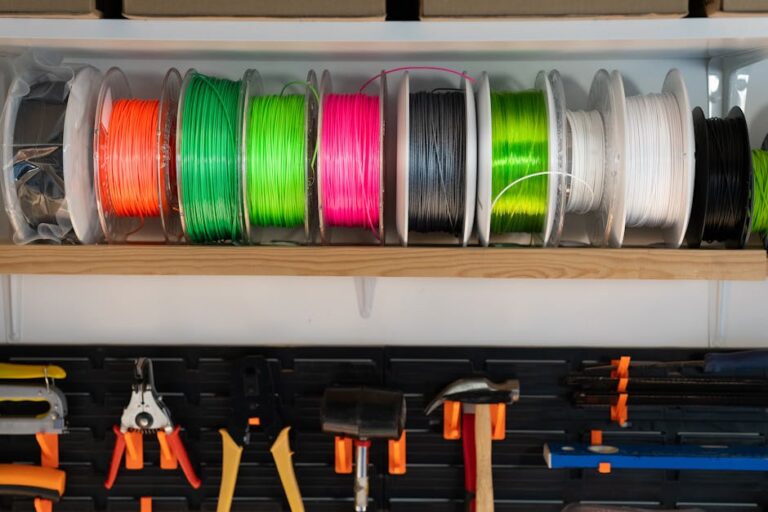
As mentioned, PLA is the ideal filament for kids and schools. It comes in a vast array of colors, is easy to work with, and produces good results. Look for reputable brands to ensure consistent quality. Consider eco-friendly PLA options as well.
Project Ideas
Start simple! Think about functional objects children can relate to, like custom keychains, pencil holders, small toys, or cookie cutters. Educational models of molecules, historical artifacts, or geographical features are also excellent for classroom use. Websites like Thingiverse and Printables offer thousands of free, ready-to-print models, or encourage kids to design their own using simple CAD software like Tinkercad.
Exploring the world of 3D printing with kids and in schools is an investment in their future. It cultivates critical thinking, problem-solving, and creativity in a way few other tools can. With the right equipment and guidance, the possibilities are limitless. For more comprehensive insights and to explore our top recommended 3D printer picks, be sure to visit our best 3D printers page.
Ready to unlock a world of innovation for the young minds in your life? Whether for a home hobbyist or a full classroom setup, finding the right 3D printer is the first step towards countless hours of educational fun. Explore more options and find the perfect machine for your needs at 3dshopper.com’s best 3D printers page today!
Ready to find your perfect 3D printer? Browse our complete guide to the best 3D printers — updated right now with expert picks at every budget.
Shop top-rated 3D printers on Amazon: Bambu Lab A1 | Creality Ender 3 | Prusa MK4